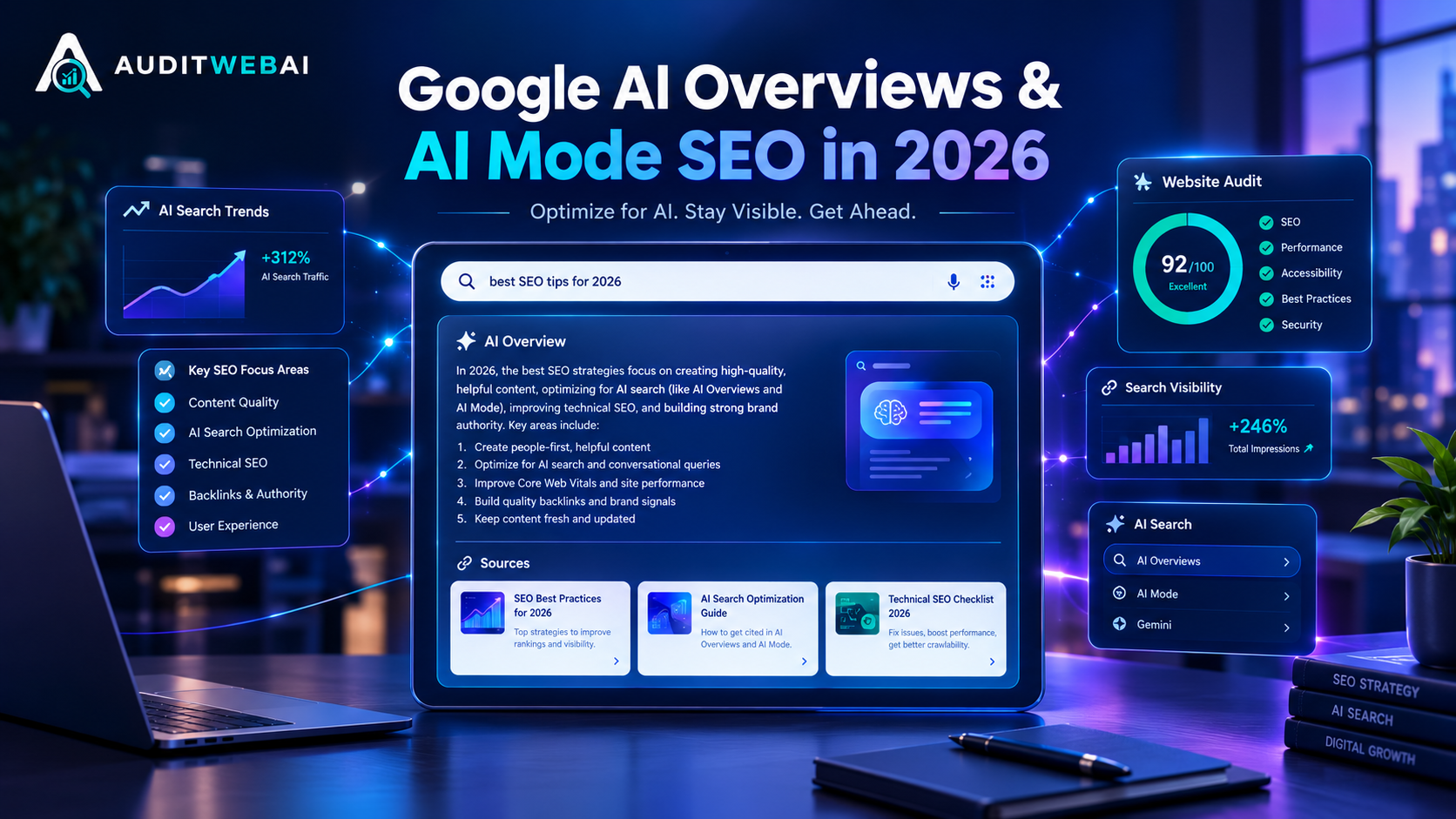
Search is changing.
For years, website owners focused primarily on traditional Google rankings: choose a keyword, optimize a page, build authority, and try to reach the first page.
That is still important.
But Google Search is becoming more conversational and increasingly includes AI-powered experiences such as AI Overviews and AI Mode.
This creates a new question for website owners:
How do you optimize your website so that it can be discovered, understood, and potentially used as a source in AI-powered search experiences?
The answer is not to abandon traditional SEO.
Google's current guidance continues to emphasize the importance of established SEO fundamentals for its generative AI search features. Websites still need to be accessible to search engines, provide useful content, and follow Google's Search Essentials.
The opportunity is to build on those fundamentals.
In this guide, you'll learn 12 practical ways to improve your website for Google AI Overviews and AI Mode in 2026.
What Are Google AI Overviews and AI Mode?
Google AI Overviews provide AI-generated summaries within some Google Search experiences.
Instead of requiring users to open several webpages to understand a topic, an AI-generated response can summarize information and provide links to relevant sources.
AI Mode takes the conversational approach further, allowing users to ask more complex questions and continue exploring a topic.
For website owners, this changes the way search visibility can work.
Traditional search can look like:
Search query → Search results → Website → Click
AI-powered search can look more like:
Question → AI-generated response → Sources → Website
This does not mean traditional rankings have disappeared.
It means that websites now have another opportunity to become useful sources within modern search experiences.
Google has also published guidance specifically about optimizing content for generative AI features, while emphasizing that existing SEO best practices remain relevant.
Does Traditional SEO Still Matter for AI Search?
Yes.
This is one of the most important things to understand.
You do not need a completely separate "AI SEO website."
You need a strong website that follows good SEO practices and provides genuinely useful information.
Important fundamentals still include:
-
Crawlable pages
-
Indexable content
-
Useful information
-
Clear page structure
-
Descriptive titles
-
Helpful headings
-
Internal links
-
Good website performance
-
Mobile-friendly design
-
Relevant structured data
-
Accurate information
-
Strong user experience
Google's guidance for generative AI features specifically reinforces that normal SEO fundamentals continue to matter.
Therefore, avoid strategies that promise instant AI citations or guaranteed placement in AI answers.
Instead, focus on creating content that is genuinely worth discovering and referencing.
12 Ways to Optimize Your Website for Google AI Overviews and AI Mode
1. Make Sure Google Can Crawl Your Important Pages
Before thinking about AI search visibility, make sure search engines can actually access your content.
If an important page cannot be crawled or indexed, optimizing its content will not solve the underlying problem.
Start with your:
-
Homepage
-
Product pages
-
Service pages
-
Pricing pages
-
Blog posts
-
Resource pages
-
Important landing pages
Check whether important pages are:
-
Publicly accessible
-
Returning successful HTTP responses
-
Not accidentally blocked
-
Not incorrectly marked
noindex -
Using the correct canonical URL
-
Included in your site's internal linking structure
Also review your XML sitemap and robots.txt configuration.
For example, if your website accidentally blocks an important section through robots.txt, you should fix the technical issue before spending time rewriting the content.
Practical check
Open:
https://yourdomain.com/robots.txt
Then review your sitemap:
https://yourdomain.com/sitemap.xml
You can also use Google Search Console's URL inspection tools to investigate individual URLs.
Technical accessibility is the foundation of search visibility.
2. Write Content That Directly Answers Real Questions
AI-powered search is highly conversational.
Users may ask questions such as:
-
Why is my website not ranking on Google?
-
How can I improve website SEO?
-
What causes slow website performance?
-
How do I fix broken links?
-
What is technical SEO?
-
How do I improve Core Web Vitals?
-
How can I make my website easier for search engines to understand?
Your content should answer those questions clearly.
Instead of writing a long introduction before answering the question, give users the answer early.
For example:
Weak structure
SEO is a very important part of digital marketing. Websites today need to consider many different factors...
The reader has to keep scrolling before finding the answer.
Better structure
Technical SEO is the process of improving the parts of a website that help search engines crawl, understand, and index its pages.
Then explain the details.
This structure is easier for people to scan and makes the purpose of the page immediately clear.
3. Create Original Information Instead of Generic AI Content
One of the biggest mistakes website owners can make in 2026 is publishing large amounts of generic content.
AI systems already have access to enormous amounts of repetitive information.
If your article simply repeats what hundreds of other websites already say, it may provide little additional value.
Instead, add information that genuinely helps the reader.
For example:
-
Original testing
-
Screenshots
-
Practical examples
-
Real troubleshooting steps
-
Detailed checklists
-
Comparisons
-
Original observations
-
Case studies
-
First-hand experience
-
Useful templates
-
Clear examples
Suppose you are writing about website speed.
Instead of only explaining what page speed means, show readers:
-
What to test
-
Where to find the problem
-
How to identify the bottleneck
-
What usually causes it
-
How to fix it
-
How to test the result again
That transforms generic information into practical information.
The goal should be simple:
Create something useful enough that a reader would want to save or share it.
4. Make Every Page's Main Topic Obvious
Search engines need to understand what your page is about.
Your visitors do too.
Every important page should have a clear primary topic.
Use a descriptive:
-
Page title
-
H1
-
Introduction
-
URL
-
Meta description
-
Headings
For example, a page targeting website SEO audits could use:
Title:
Website SEO Audit: Complete 2026 Checklist
H1:
Website SEO Audit: Complete 2026 Checklist
URL:
/website-seo-audit-checklist-2026
The page immediately communicates its subject.
Avoid vague headings such as:
Services
when a more descriptive heading can explain the actual purpose.
For example:
Website SEO Audit Services
Clear page structure helps both visitors and search systems understand the content.
5. Build Strong Internal Links
Internal linking is one of the most useful SEO practices that website owners can control themselves.
Your articles should not exist as isolated pages.
Connect related content together.
For example, an article about Google AI search could naturally link to:
-
SEO audits
-
Website SEO
-
Broken links
This creates a connected content ecosystem.
Example internal linking structure
A reader might start with:
Google AI Overviews & AI Mode SEO
Then continue to:
How to Audit Your Website for AI Search Visibility
Then:
How to Perform an SEO Audit
Then:
Core Web Vitals Guide
Then:
How to Find and Fix Broken Links
This gives the visitor a logical path through your website.
It also helps search engines discover related pages.
6. Improve Your Website's Technical SEO
AI search optimization cannot compensate for a technically broken website.
Review the fundamentals.
Your technical SEO checklist should include:
-
HTTPS
-
XML sitemap
-
Robots.txt
-
Canonical URLs
-
HTTP status codes
-
Redirects
-
Broken links
-
Duplicate URLs
-
Indexability
-
Mobile usability
-
Page loading performance
-
Structured data
-
Crawlable resources
Pay special attention to important commercial pages.
For example, imagine a SaaS website has:
-
Homepage
-
Features
-
Pricing
-
Blog
-
Contact
If the pricing page is accidentally blocked or canonicalized incorrectly, the website has a technical problem regardless of how good its blog content is.
Technical SEO should therefore be part of your regular website maintenance process.
7. Use Structured Data Correctly
Structured data can help search engines understand what your page represents.
Google describes structured data as a standardized way of providing information about a page and its content.
For example, a blog article can use appropriate Article or BlogPosting structured data.
Google's documentation explains that Article structured data can help Google better understand information such as the article's title, images, publication date, and author.
However, structured data is not a magic ranking button.
Do not add markup simply because you want a richer result.
The structured data should accurately represent the visible content of the page.
For a blog article, make sure information such as:
-
Headline
-
Author
-
Date published
-
Date modified
-
Image
is accurate.
Then validate the implementation and fix important errors.
8. Make Your Content Easy to Extract and Understand
AI search systems need to understand information from webpages.
That means clarity matters.
Avoid hiding important information behind unnecessary complexity.
Use:
-
Short paragraphs
-
Descriptive headings
-
Bullet points
-
Tables when useful
-
Definitions
-
Examples
-
Step-by-step instructions
-
Clear conclusions
For example, instead of writing one huge paragraph about technical SEO, separate the information:
What Is Technical SEO?
Definition.
Why Does Technical SEO Matter?
Explanation.
What Should You Check?
Checklist.
How Do You Fix Problems?
Steps.
This structure is better for humans and easier to navigate.
9. Demonstrate Real Expertise and Trust
A website should make it clear why its content deserves attention.
This becomes especially important for informational content.
Make your website's identity clear.
Consider having:
-
About page
-
Contact page
-
Clear business information
-
Author information where appropriate
-
Accurate claims
-
Sources for important claims
-
Updated content
-
Clear product/service descriptions
Do not invent statistics simply to make an article look authoritative.
Do not create fake testimonials.
Do not create fake case studies.
Do not claim that your website is "guaranteed to rank #1."
Trust comes from accuracy and transparency.
For example, if you are discussing Google's search features, link to Google's official documentation when appropriate rather than presenting speculation as fact.
10. Improve Page Experience and Core Web Vitals
A website can have excellent content and still provide a poor experience if it is slow or difficult to use.
Review your website's:
-
Largest Contentful Paint (LCP)
-
Interaction to Next Paint (INP)
-
Cumulative Layout Shift (CLS)
-
Mobile usability
-
Server response time
-
Image optimization
-
JavaScript usage
-
CSS loading
-
Layout stability
Performance should not be treated as a one-time task.
Test important pages regularly.
For example, your homepage may perform well while a blog article with large images and unnecessary scripts performs poorly.
Audit important templates, not just one page.
11. Optimize for Search Intent, Not Just Keywords
One of the biggest SEO mistakes is targeting a keyword without understanding what the searcher actually wants.
Consider:
"website SEO audit"
Someone searching this could want:
-
An explanation
-
An audit checklist
-
A tool
-
A service
-
A step-by-step tutorial
-
Technical SEO information
Your content needs to match the intent.
Before creating a page, ask:
What problem is the searcher trying to solve?
Then build the page around that problem.
For example, someone searching:
"why is my website not showing on Google"
probably needs troubleshooting steps.
A page that only defines SEO will not satisfy that intent.
This is why useful content should focus on solving the user's problem rather than simply repeating a keyword.
12. Use Website Audits to Find What Needs Improvement
SEO decisions should be based on evidence rather than guesses.
A website audit can help identify problems across multiple areas.
For example, you might discover:
SEO
-
Missing titles
-
Missing meta descriptions
-
Weak headings
-
Poor internal linking
UX
-
Confusing navigation
-
Weak calls to action
-
Poor mobile layout
Accessibility
-
Missing image alt text
-
Poor heading structure
-
Low usability for some visitors
Performance
-
Slow server response
-
Large HTML
-
Heavy images
-
Unnecessary scripts
Once you know the problems, prioritize them.
Do not try to fix 100 things at once.
A practical approach is:
Critical → High → Medium → Low
Fix issues that can have the greatest practical impact first.
Google AI Overviews SEO: What Should You NOT Do?
There is a lot of misinformation around AI SEO.
Be careful with claims such as:
"Add this special AI meta tag to rank in AI Overviews."
or:
"Use this exact word count to get cited by ChatGPT."
or:
"Publish 100 AI articles and Google will rank your website."
There is no simple formula that guarantees inclusion in AI-generated search results.
Instead, focus on fundamentals:
-
Useful content
-
Technical accessibility
-
Clear structure
-
Search intent
-
Internal linking
-
Accurate information
-
Good user experience
-
Strong website architecture
-
Original value
Google's 2026 guidance specifically addresses misconceptions around optimizing for generative AI features and emphasizes that SEO fundamentals continue to matter.
How to Create Content That Can Be Useful in AI Search
A useful framework is:
Question
What does the user want to know?
Answer
Give a direct answer.
Explanation
Explain why.
Example
Show a practical example.
Steps
Tell the user what to do next.
Evidence
Use accurate sources or first-hand information when appropriate.
Related Topics
Connect the reader to useful supporting content.
For example:
Question
Why is my website not ranking?
Answer
Your website may have indexing, technical SEO, content, search-intent, performance, or authority problems.
Explanation
Explain each possibility.
Example
Show how a noindex tag can prevent a page from appearing.
Steps
Explain how to check the URL in Search Console.
Related Topic
Link to a complete website SEO audit guide.
This creates useful, connected content instead of isolated keyword pages.
AI Search SEO Checklist for 2026
Before publishing an important page, use this checklist.
Technical SEO
-
Page is accessible
-
HTTPS works
-
Page can be crawled
-
Page can be indexed
-
Canonical URL is correct
-
Page returns the correct HTTP status
-
Important resources are accessible
-
XML sitemap is updated
-
Robots.txt is not blocking important content
On-Page SEO
-
Page has a descriptive title
-
Page has one clear H1
-
Headings are logically structured
-
URL is descriptive
-
Meta description matches the content
-
Primary topic is clear
-
Keywords are used naturally
Content
-
Search intent is clear
-
Main question is answered
-
Content provides practical value
-
Information is accurate
-
Content is original
-
Important information is easy to find
-
Examples are included where useful
-
Content avoids unnecessary repetition
Internal Linking
-
Important pages have internal links
-
Related articles are connected
-
Anchor text describes the destination
-
Links are naturally placed
-
No important page is isolated
User Experience
-
Mobile layout works
-
Navigation is clear
-
Page loads efficiently
-
Content is easy to scan
-
Calls to action are clear
-
No intrusive elements interfere with reading
Structured Data
-
Structured data matches the visible content
-
Appropriate schema type is used
-
Important errors are fixed
-
Article information is accurate
-
Images are properly specified where appropriate
How AuditWebAI Can Help
Finding SEO problems manually across an entire website can take significant time.
A website audit can give you a faster starting point by identifying areas that need attention.
With AuditWebAI, you can run a website audit and review important areas such as:
-
SEO
-
UX
-
Accessibility
-
Performance
-
Website health
-
Recommendations
Instead of guessing what to fix first, start by understanding the current condition of your website.
Run a free website audit with AuditWebAI and use the results to create your next SEO improvement plan.
Final Thoughts
Google AI Overviews and AI Mode are changing how people can discover information online, but the fundamentals of SEO have not suddenly disappeared.
The strongest approach in 2026 is not to chase every new AI SEO trick.
It is to build a website that is:
Crawlable + Useful + Clear + Fast + Accessible + Well-connected + Trustworthy
Start with your technical foundation.
Then improve your content.
Make your pages answer real questions.
Build strong internal links.
Use structured data accurately.
Improve the user experience.
And continuously audit your website to find problems that need attention.
Most importantly, remember that there is no guaranteed shortcut to appearing in an AI-generated answer.
Instead, create content that deserves to be discovered.
That is a much stronger long-term SEO strategy.
Frequently Asked Questions
1. What is Google AI Overviews SEO?
Google AI Overviews SEO refers to optimizing a website using strong technical SEO, useful content, clear structure, and other established search best practices so that the site's information can be discovered and potentially used within Google's AI-powered search experiences.
2. How do I optimize my website for Google AI Overviews?
Start with technical SEO, crawlability, indexability, useful content, clear page structure, internal links, accurate information, good page experience, and relevant structured data. There is no single optimization that guarantees inclusion in an AI Overview.
3. Is traditional SEO still important for AI search?
Yes. Google's current guidance says established SEO fundamentals remain relevant for generative AI search features.
4. Can I guarantee that my website will appear in Google AI Overviews?
No. You should not promise or expect guaranteed inclusion. AI-generated search results depend on the search experience and many relevance and quality considerations.
5. Does structured data guarantee AI search visibility?
No. Structured data can help search engines understand page information, but it does not guarantee rankings or inclusion in AI-generated results. Google recommends that structured data accurately represent the page content.
6. Should I create separate pages for every AI search keyword?
Not necessarily. Creating large numbers of pages with nearly identical information can produce a poor user experience. Focus on covering meaningful topics and questions with genuinely useful content.
7. How often should I audit my website?
There is no universal schedule for every website. A practical approach is to monitor important pages regularly and perform a more complete audit when you launch major changes, add significant content, migrate platforms, or notice SEO problems.
8. What is the most important AI SEO strategy in 2026?
There is no single magic strategy. A strong foundation combines technical accessibility, useful original content, clear structure, internal linking, good page experience, accurate information, and ongoing SEO monitoring.