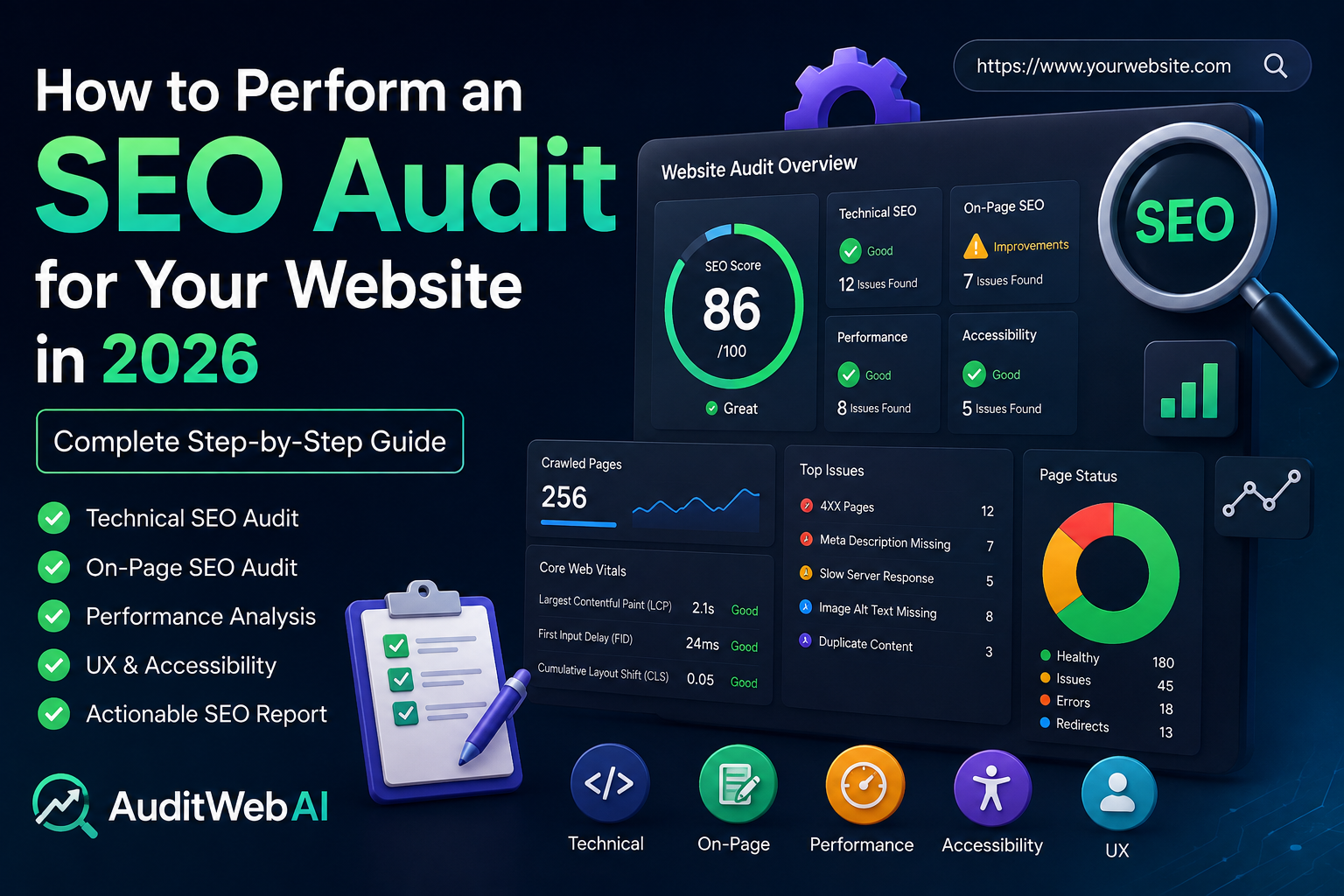
How to Perform an SEO Audit for Your Website in 2026: Complete Step-by-Step Guide
A website can look great to visitors and still struggle to appear in Google search results.
You may have excellent products, useful services, or high-quality content, but if search engines cannot properly crawl, understand, and evaluate your website, your organic traffic can remain lower than expected.
This is where an SEO audit becomes essential.
An SEO audit is a systematic analysis of your website to identify problems and opportunities that can affect search visibility, user experience, website performance, and organic traffic.
In 2026, SEO is no longer just about adding keywords to pages. A successful website needs strong technical foundations, useful content, good page experience, accessible design, optimized metadata, fast performance, and a structure that makes it easy for both users and search engines to understand the site.
The good news is that you do not need to be an SEO expert to start auditing your website.
In this guide, you will learn how to perform an SEO audit step by step, what to check, which issues matter most, and how to turn an SEO audit into a practical improvement plan.
What Is an SEO Audit?
An SEO audit is a detailed examination of a website to discover factors that may be helping or hurting its performance in search engines.
A complete website SEO audit typically examines areas such as:
- Technical SEO
- Website crawling and indexing
- On-page SEO
- Content quality
- Keyword optimization
- Internal linking
- Page titles and meta descriptions
- URL structure
- Website speed
- Core Web Vitals
- Mobile usability
- Accessibility
- User experience
- Images
- Structured data
- Security
- Broken links
- Sitemap configuration
- Robots.txt
- Canonical URLs
The goal isn't simply to generate a long list of errors.
The real goal of an SEO audit is to answer an important question:
“What should I fix or improve first to make my website more useful, accessible, technically healthy, and easier for search engines to understand?”
Why Is an SEO Audit Important in 2026?
Search engines have become significantly better at understanding websites and user intent.
Because of this, modern SEO requires a broader approach.
A website may have good keyword optimization but still perform poorly because of technical problems. Another website may have excellent content but provide a frustrating experience on mobile devices.
An SEO audit helps you find these hidden problems.
1. Find Technical SEO Problems
Technical problems can prevent search engines from crawling or indexing important pages.
An audit can help identify issues involving:
- Broken URLs
- Incorrect redirects
- Missing canonical tags
- Crawl problems
- Indexing problems
- Duplicate pages
- Incorrect robots.txt rules
- Sitemap problems
- HTTPS configuration
- Slow pages
Fixing these issues can create a stronger foundation for your SEO strategy.
2. Improve Organic Search Visibility
Your website needs to be understandable to search engines.
Proper titles, headings, content structure, URLs, internal links, and relevant keywords can make your pages easier to interpret.
An SEO audit helps determine whether these elements are properly optimized.
3. Improve User Experience
SEO isn't only about search engines.
If visitors arrive at your website and immediately leave because the page is slow, confusing, difficult to navigate, or poorly designed, you have a user-experience problem.
A good audit considers both search visibility and real users.
4. Prioritize Your SEO Work
One of the biggest problems with SEO is knowing where to start.
An audit can reveal dozens of issues, but not every issue has the same importance.
For example, fixing a page that search engines cannot access is generally more important than changing a minor image attribute.
A good audit therefore helps you prioritize:
Critical → High Priority → Medium Priority → Low Priority
Complete SEO Audit Checklist for 2026
Now let's go through the major areas you should examine during a website SEO audit.
1. Check Website Crawling and Indexing
The first thing to investigate is whether search engines can discover and access your important pages.
A page cannot generate organic search traffic if search engines cannot properly crawl and index it.
Check whether:
- Important pages are indexable
- Important pages are not accidentally blocked
- Your robots.txt file is configured correctly
- Your XML sitemap exists
- Your sitemap contains important URLs
- Your sitemap does not contain unnecessary URLs
- Pages aren't accidentally marked
noindex - Canonical URLs are correct
- Redirects work properly
You should pay particular attention to important commercial pages such as:
- Homepage
- Product pages
- Service pages
- Pricing pages
- Blog posts
- Category pages
- Landing pages
If one of these pages has an indexing problem, it can directly affect your organic visibility.
2. Review Your XML Sitemap
An XML sitemap helps search engines discover important URLs on your website.
Your sitemap should generally contain URLs that you actually want search engines to crawl and index.
Check your sitemap for:
- Valid URLs
- HTTPS URLs
- Correct canonical versions
- No unnecessary parameters
- No broken URLs
- No redirected URLs
- No duplicate URLs
- Recently updated content where appropriate
For websites with frequently published content, keeping the sitemap updated is especially important.
For example, if you publish a new blog article, the new URL should eventually be included in your sitemap.
3. Check Robots.txt
The robots.txt file provides crawling instructions to search-engine crawlers.
A configuration mistake can potentially prevent crawlers from accessing important parts of your website.
Review your robots.txt file and make sure you haven't accidentally blocked important pages or resources.
For example, developers sometimes add restrictive crawling rules during development and forget to remove or update them after launching a website.
Always verify the production configuration.
4. Perform an On-Page SEO Audit
On-page SEO focuses on elements that exist directly on your webpages.
Important on-page SEO elements include:
- Page title
- Meta description
- H1 heading
- H2 and H3 headings
- Main content
- Keywords
- Internal links
- Images
- Image alt text
- URLs
- Structured content
Each important page should have a clear topic.
Your page title should tell users and search engines what the page is about.
For example, instead of:
“Services”
a more descriptive title could be:
“Professional Website SEO Audit Services”
The second version provides considerably more context.
However, SEO doesn't mean stuffing keywords into every element.
Your content should remain natural and useful.
5. Optimize Page Titles
Page titles are one of the most important on-page SEO elements.
A good title should:
- Clearly describe the page
- Match search intent
- Include the primary topic naturally
- Encourage clicks
- Be unique
- Avoid unnecessary keyword repetition
For example:
Weak:SEO SEO SEO Website SEO Tool
Better:SEO Audit Tool: Analyze and Improve Your Website
The second title is more natural and communicates the page's purpose.
Avoid creating duplicate titles across many pages.
Every important page should have a title that accurately represents its unique content.
6. Improve Meta Descriptions
A meta description summarizes a page's content.
Although search engines may choose to display different text in search results, a well-written meta description can help communicate value to potential visitors.
A good meta description should:
- Explain what the page offers
- Naturally include relevant terminology
- Match the actual page content
- Encourage users to click
- Avoid keyword stuffing
For example:
Analyze your website for SEO, performance, accessibility, UX, and technical issues with a comprehensive website audit.
Keep your descriptions useful rather than trying to force every possible keyword into them.
7. Check Your Heading Structure
Headings help organize your content.
A typical article structure might look like:
H1: How to Perform an SEO Audit
H2: Technical SEO Audit
H3: Check Indexing
H3: Review Sitemap
H2: On-Page SEO Audit
This structure makes long-form content easier to understand.
Avoid using headings purely for visual styling. Use them to represent the actual hierarchy of your content.
8. Audit Your Content
Content is a major component of modern SEO.
But publishing more content isn't automatically the solution.
You should evaluate whether each important page:
- Satisfies the user's search intent
- Provides useful information
- Demonstrates expertise
- Answers important questions
- Is easy to read
- Is original and valuable
- Is regularly maintained when necessary
- Avoids unnecessary repetition
Ask yourself:
If I were searching for this topic, would this page actually solve my problem?
If the answer is no, simply adding more keywords probably won't fix it.
You need to improve the content itself.
9. Search Intent Matters
One of the biggest SEO mistakes is targeting a keyword without understanding its intent.
For example, someone searching for:
probably wants educational information.
Someone searching for:
“best SEO audit tool”
may be comparing tools.
Someone searching for:
“free website SEO audit”
may be ready to test a tool.
These searches have different intentions.
Your content should match what the searcher is trying to accomplish.
Understanding search intent helps you create pages that are more relevant and useful.
10. Review Keyword Optimization
Keywords are still useful because they help communicate the topic of a page.
However, modern SEO shouldn't be based on repeating the same keyword dozens of times.
Instead, create comprehensive content around a topic.
For an SEO audit article, related concepts could include:
- Technical SEO
- Website performance
- Search visibility
- Internal linking
- Metadata
- Crawling
- Indexing
- Page experience
- Mobile SEO
- Accessibility
- Structured data
This creates topical relevance without unnatural keyword repetition.
11. Check Internal Links
Internal linking is often overlooked.
Internal links connect one page on your website to another.
They can help users discover additional content while also helping search engines understand the relationship between pages.
For example, a blog about SEO audits could naturally link to:
- SEO guide
- Website performance guide
- Technical SEO article
- Website audit tool
- Pricing page
- Contact page
Use descriptive anchor text when appropriate.
Instead of:
“Click here”
you could use:
“run a complete website SEO audit”
when that accurately describes the destination.
12. Audit Your URLs
A clean URL structure makes websites easier to understand.
Compare:
example.com/page?id=12345
with:
example.com/blog/seo-audit-guide
The second URL clearly communicates the topic.
Good URLs should generally be:
- Descriptive
- Concise
- Easy to read
- Consistent
- Relevant to the page
Avoid unnecessarily complicated URL structures.
Also make sure your preferred URL version is consistent.
For example, decide how your website handles:
- HTTP vs HTTPS
- www vs non-www
- Trailing slashes
- Uppercase vs lowercase URLs
13. Check Website Speed and Performance
Website performance can have a major impact on user experience.
Visitors don't want to wait for pages to load.
During a website performance audit, examine:
- Page loading speed
- JavaScript execution
- CSS
- Image sizes
- Server response time
- Caching
- Font loading
- Third-party scripts
- Large network requests
Large images are a common problem.
An image that looks excellent on a desktop might be unnecessarily large for a mobile visitor.
Use appropriately sized and compressed images whenever possible.
14. Understand Core Web Vitals
Core Web Vitals are a set of metrics designed to measure important aspects of page experience.
The major metrics include:
- LCP — Largest Contentful Paint
- INP — Interaction to Next Paint
- CLS — Cumulative Layout Shift
These metrics help evaluate loading performance, responsiveness, and visual stability.
For example, if a large image suddenly loads and pushes content downward, visitors may accidentally click the wrong element.
That creates a poor experience.
An SEO audit should therefore look beyond keywords and evaluate the technical experience of the page.
15. Mobile SEO Audit
A large portion of web traffic comes from mobile devices.
Your website should work properly across different screen sizes.
Test:
- Mobile navigation
- Buttons
- Forms
- Text readability
- Images
- Tables
- Menus
- Popups
- Page speed
- Touch targets
Don't only resize your desktop browser window.
Actually test important pages on mobile devices.
Ask:
Can a visitor easily understand and use this page with one hand on a phone?
16. Audit Images
Images can improve content significantly, but poorly optimized images can slow down your website.
Check:
- File size
- Image dimensions
- File format
- Alt text
- Lazy loading where appropriate
- Descriptive filenames
- Responsive image behavior
For example:
IMG_2026_1234.jpg
is not very descriptive.
A filename such as:
website-seo-audit-dashboard.jpg
provides more context.
Don't use alt text as a place to stuff keywords.
Alt text should describe the image appropriately, particularly when the image conveys meaningful information.
17. Check Website Accessibility
Accessibility is an important part of creating a good website.
Your audit should look for potential issues such as:
- Missing labels
- Poor heading structure
- Unclear link text
- Keyboard navigation problems
- Missing alternative text
- Inadequate focus states
- Difficult-to-use forms
- Poor contrast
- Inaccessible interactive elements
Accessibility improvements can benefit many users, not just users with disabilities.
A website that is easier to navigate and understand is generally better for everyone.
18. Check HTTPS and Website Security
Your website should use HTTPS.
Verify that:
- HTTPS is enabled
- HTTP redirects correctly to HTTPS
- SSL certificates are valid
- Mixed-content problems aren't present
- Important pages aren't accidentally accessible through insecure URLs
Security isn't something you should treat as an afterthought.
A professional website should provide users with a secure browsing experience.
19. Find Broken Links
Broken links create a poor experience for visitors and can make website maintenance more difficult.
Audit both:
- Internal links
- External links
Look for:
- 404 pages
- Incorrect URLs
- Redirect chains
- Redirect loops
- Links pointing to deleted pages
If a page has been permanently removed and an appropriate replacement exists, consider implementing a relevant redirect.
Don't redirect every deleted URL to the homepage without considering relevance.
20. Review Canonical URLs
Canonical tags help communicate the preferred version of a page when multiple URLs contain similar or duplicate content.
Incorrect canonical configuration can cause search engines to misunderstand which page should be considered the primary version.
Check that canonical URLs:
- Point to the correct page
- Use HTTPS
- Use the preferred domain
- Don't point to unrelated pages
- Are consistent with your indexing strategy
This becomes especially important for websites with parameters, filters, categories, and multiple URL variations.
21. Check Structured Data
Structured data can provide search engines with additional information about your content.
Depending on the type of website, structured data may be relevant for things such as:
- Articles
- Products
- Organizations
- Breadcrumbs
- Events
- FAQs
- Reviews
Structured data must accurately represent the visible content on your page.
Never add misleading structured data simply because you want enhanced search visibility.
22. Analyze Your SEO Performance
An SEO audit shouldn't end with technical checks.
You should also look at actual search performance.
Useful metrics include:
- Organic clicks
- Organic impressions
- Average position
- Click-through rate
- Top-performing pages
- Declining pages
- Ranking keywords
- Indexed pages
- Organic conversions
This data helps answer:
Which pages are already working, and which pages have the greatest opportunity for improvement?
For example, a page ranking around positions 8–15 for an important keyword may have significant potential.
Improving the content, internal linking, technical health, and user experience of that page could be more valuable than creating an entirely new article.
23. Use an SEO Audit Tool
Manually checking every SEO element can take a significant amount of time.
This is where an automated website audit tool can help.
A modern audit tool can scan your website and identify issues across multiple categories.
Instead of manually checking every page element, you can receive an organized report showing:
- SEO issues
- Performance problems
- Accessibility issues
- UX problems
- Technical warnings
- Recommendations
This allows you to spend more time fixing problems instead of searching for them.
How AuditWebAI Can Help
If you want to simplify the auditing process, AuditWebAI can help analyze your website and turn technical website checks into an actionable report.
Instead of looking at dozens of separate factors manually, you can use an automated website analysis workflow to identify potential areas that need attention.
The goal isn't simply to show you a score.
A useful audit should help answer:
What is wrong?
Why does it matter?
What should I fix?
What should I prioritize first?
That is the difference between a simple website checker and an actionable website audit.
Ready to analyze your website?
Run an SEO audit with AuditWebAI and discover the areas of your website that need improvement.
CTA:
👉 Analyze My Website
SEO Audit vs. Website Audit: What's the Difference?
These terms are sometimes used interchangeably, but they can have slightly different meanings.
An SEO audit focuses primarily on factors that affect search visibility and organic performance.
A broader website audit may evaluate:
- SEO
- Performance
- Accessibility
- UX
- Security
- Technical configuration
- Content
For businesses, a broader audit can be useful because SEO performance doesn't exist separately from the overall website experience.
A technically healthy but confusing website can still lose potential customers.
How Often Should You Perform an SEO Audit?
There isn't one universal schedule for every website.
A small website may perform a comprehensive audit every few months and monitor important issues continuously.
Larger websites may need more frequent monitoring because they publish more content and make more technical changes.
You should consider performing an SEO audit when:
- Launching a new website
- Redesigning a website
- Changing your CMS
- Changing domains
- Migrating hosting
- Publishing a large amount of content
- Organic traffic suddenly drops
- Rankings decline
- Google Search Console shows issues
- Major technical changes are deployed
You should also monitor important SEO metrics regularly rather than waiting for an annual audit.
Common SEO Audit Mistakes to Avoid
Mistake 1: Focusing Only on Keywords
SEO is much more than keyword density.
Technical health, content quality, performance, UX, accessibility, and internal linking all matter.
Mistake 2: Trying to Fix Everything at Once
An audit may generate a large number of recommendations.
Don't panic.
Prioritize issues based on:
Impact × Importance × Effort
Start with problems that can have significant impact.
Mistake 3: Writing for Search Engines Instead of People
Keyword stuffing can make content difficult to read.
Write for humans first.
Use keywords naturally where they genuinely help communicate the topic.
Mistake 4: Ignoring Mobile Users
A page that looks perfect on desktop can still be frustrating on mobile.
Always test the mobile experience.
Mistake 5: Ignoring Performance
A beautiful website that takes too long to load can create a poor user experience.
Optimize images, scripts, CSS, fonts, caching, and server performance.
Mistake 6: Treating the Audit Score as the Final Goal
An SEO score is useful as a diagnostic signal.
But getting a score of 95 doesn't automatically guarantee higher Google rankings.
The real objective is to build a website that is technically healthy, useful, accessible, fast, and aligned with user intent.
A Practical 2026 SEO Audit Workflow
If you want a simple process, follow this order:
Step 1: Crawl Your Website
Discover important pages and identify technical issues.
Step 2: Check Indexing
Verify that important pages can be indexed.
Step 3: Review Technical SEO
Check sitemap, robots.txt, canonical URLs, redirects, HTTPS, and broken links.
Step 4: Review On-Page SEO
Check titles, meta descriptions, headings, URLs, images, and content.
Step 5: Analyze Content
Determine whether pages actually satisfy search intent.
Step 6: Review Internal Links
Connect relevant pages and important content.
Step 7: Test Performance
Review page speed, loading behavior, and Core Web Vitals.
Step 8: Check Mobile UX
Make sure the website works properly on smaller screens.
Step 9: Check Accessibility
Identify barriers that could make your website difficult to use.
Step 10: Prioritize Recommendations
Create a list of critical, high, medium, and low-priority improvements.
Step 11: Implement Changes
Fix the highest-impact issues first.
Step 12: Monitor Results
Track rankings, impressions, clicks, traffic, conversions, and technical health.
SEO is an ongoing process.
An audit gives you the roadmap; implementation creates the improvement.
SEO Audit Checklist You Can Save
Here is a quick checklist you can use whenever you audit a website:
Technical SEO
- HTTPS works correctly
- Important pages are indexable
- Robots.txt is configured correctly
- XML sitemap exists
- Sitemap contains valid URLs
- Canonical URLs are correct
- No major redirect issues
- No broken internal links
- No accidental noindex directives
On-Page SEO
- Unique page titles
- Useful meta descriptions
- One clear primary topic
- Logical heading structure
- Descriptive URLs
- Relevant internal links
- Optimized images
- Appropriate alt text
Content
- Matches search intent
- Provides useful information
- Original and valuable
- Easy to read
- Covers important subtopics
- Updated when necessary
- Avoids keyword stuffing
Performance
- Fast loading pages
- Optimized images
- Efficient CSS
- Efficient JavaScript
- Reasonable server response time
- Good Core Web Vitals
- Limited unnecessary third-party scripts
UX & Accessibility
- Mobile-friendly
- Easy navigation
- Readable typography
- Accessible forms
- Keyboard-friendly interactions
- Descriptive links
- Useful focus states
- Appropriate image alternatives
Frequently Asked Questions About SEO Audits
What is an SEO audit?
An SEO audit is a detailed analysis of a website to identify technical, content, on-page, performance, UX, and other factors that may affect search visibility and website experience.
How do I perform an SEO audit?
Start by checking crawling and indexing, then review technical SEO, on-page optimization, content quality, internal links, performance, mobile usability, accessibility, and structured data. Finally, prioritize the problems and implement fixes.
How often should I perform an SEO audit?
The ideal frequency depends on the size and complexity of your website. A comprehensive audit every few months can be useful for many websites, while larger or frequently changing websites may benefit from more frequent monitoring.
Can I perform an SEO audit for free?
Yes. You can perform many SEO checks manually using tools and browser features. Automated website audit tools can make the process significantly faster by checking multiple categories and generating recommendations.
What is the most important part of an SEO audit?
There isn't one single factor. Technical accessibility, useful content, search intent, performance, mobile experience, and overall website quality all contribute to a healthy SEO foundation.
Does an SEO audit guarantee higher Google rankings?
No. An audit identifies problems and opportunities, but it cannot guarantee rankings. Search rankings depend on many factors, including relevance, content quality, competition, authority, technical accessibility, and search-engine systems.
What is a technical SEO audit?
A technical SEO audit focuses on the technical aspects of a website that affect crawling, indexing, rendering, performance, URLs, redirects, structured data, security, and search-engine accessibility.
What is an AI SEO audit?
An AI SEO audit uses automated analysis and, in some cases, AI-assisted interpretation to identify website problems and provide recommendations. The usefulness of the audit depends on the quality of the underlying checks and recommendations.
What should I fix first after an SEO audit?
Start with issues that prevent search engines or users from accessing important pages. Then prioritize high-impact technical, performance, content, and UX issues before working on smaller optimizations.
Final Thoughts
An SEO audit is not just a report filled with warnings and scores.
It is a way to understand how effectively your website serves both users and search engines.
A successful audit should help you identify technical problems, improve content, strengthen internal linking, optimize page experience, improve accessibility, and discover opportunities to increase organic visibility.
The most important thing is not to become obsessed with achieving a perfect audit score.
Instead, focus on building a website that is:
Fast. Useful. Accessible. Search-friendly. Easy to navigate.
Then continuously measure the results and improve.
If you haven't audited your website recently, now is a good time to start.
🚀 Find out what is holding your website back
Run your website through AuditWebAI and get an actionable analysis of your website's SEO, performance, UX, and accessibility.
CTA: Analyze My Website →