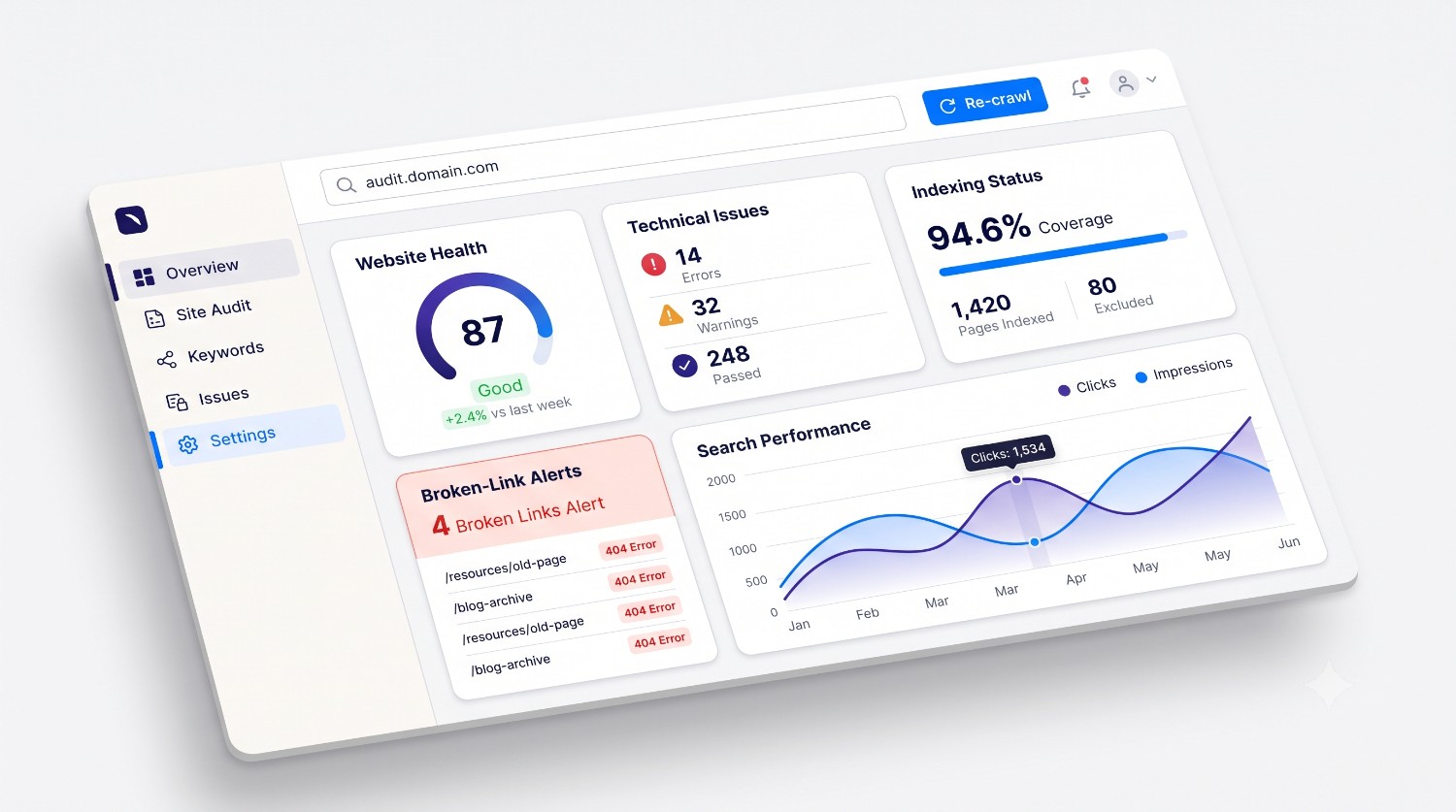
Your website may look professional, load correctly, and contain useful content, yet still struggle to attract visitors from Google. The reason is not always a lack of content or backlinks. Sometimes, the problem lies in technical errors, indexing restrictions, poorly optimized pages, broken links, or content that does not match what people are searching for.
Learning how to find SEO issues on a website helps you understand what is preventing your pages from performing as well as they could in organic search.
Instead of making random changes, you can identify the underlying problems, prioritize the most important fixes, and monitor whether your improvements make a difference.
In this guide, you will learn how to perform a practical website SEO audit, identify common SEO problems, use free SEO tools, and create a step-by-step plan to improve your website.
What Are SEO Issues on a Website?
SEO issues are problems that can make it harder for search engines to discover, crawl, understand, index, or rank your website pages.
They can also create a poor user experience, which may reduce engagement and make it harder for visitors to complete important actions.
Website SEO issues generally fall into five categories:
-
Technical SEO issues: Crawl errors, incorrect redirects, canonical problems, and accidental indexing restrictions.
-
On-page SEO issues: Missing title tags, unclear headings, weak keyword targeting, and poor content structure.
-
Content issues: Thin or outdated content, duplicate pages, missing information, and mismatched search intent.
-
Internal linking issues: Broken internal links, important pages that are difficult to discover, and unclear site structure.
-
Performance and usability issues: Slow loading, poor mobile experiences, intrusive elements, and layout instability.
Not every SEO warning has the same importance. A missing meta description is different from an important page accidentally marked noindex.
The objective of an SEO audit is to identify real problems, understand their potential impact, and decide which issues should be addressed first.
Why Is It Important to Find SEO Issues?
Ignoring website SEO problems can make it difficult to understand why organic traffic is not growing.
For example, publishing more blog posts will not resolve an accidental noindex directive on an important landing page. Similarly, improving keyword placement will not fix a broken internal link or a server error that prevents a page from loading.
Finding SEO problems helps you:
-
Make important pages easier for search engines to discover.
-
Identify pages that are not being indexed as expected.
-
Improve page titles, headings, and search-result descriptions.
-
Detect broken links and incorrect redirects.
-
Improve website navigation and internal linking.
-
Identify performance problems that affect user experience.
-
Understand which pages need content improvements.
-
Make better decisions using search performance data.
An audit does not guarantee higher rankings. Its value comes from identifying issues that you can investigate and fix systematically.
How to Find SEO Issues on a Website Step by Step
Follow these steps to examine your website, starting with the most important technical checks.
Step 1: Run a Website SEO Audit
Start by collecting an overview of your website's current condition.
Manually checking every HTML element across a large website can be time-consuming. An SEO audit tool can help identify common problems, including missing metadata, heading issues, broken links, and technical or performance signals.
Start with your homepage, then review important pages such as:
-
Product and service pages.
-
Pricing and conversion pages.
-
Important landing pages.
-
Blog articles that target valuable keywords.
-
Pages that already receive organic impressions.
-
Pages that contribute to leads or sales.
You can begin with the AuditWebAI Free SEO Checker to review supported website health and SEO checks.
After generating a report, do not focus only on the overall score. Review the individual findings and confirm which issues are relevant to your website.
For example, a page with a missing meta description may need a simple content update, while a page that cannot be indexed requires a different investigation.
Your goal: Create a list of specific problems, affected URLs, and recommended next steps.
Step 2: Check Whether Important Pages Are Indexed
Indexing is one of the most important areas to investigate.
A page can exist on your website and be accessible in a browser without necessarily appearing in Google's index.
To investigate indexing problems, open Google Search Console and review the Page indexing report. Look for important URLs that are not indexed and investigate the reasons reported by Google.
You can also use the URL Inspection tool to examine individual pages.
Check for issues such as:
-
An accidental
noindexdirective. -
Pages blocked by robots.txt.
-
Incorrect canonical URLs.
-
Redirects that lead to unexpected destinations.
-
Server errors.
-
Pages that Google has discovered but not indexed.
-
Important pages that are difficult to discover through internal links.
Not every excluded URL is a problem. Duplicate pages, intentionally redirected URLs, and pages that should not appear in search results may be excluded correctly.
For example, if your main service page is accidentally marked noindex, investigate the page template or SEO configuration responsible for that directive.
If a low-value internal search-results page is intentionally excluded, there may be nothing to fix.
What to do next: Verify the affected URL, inspect the reported reason, fix the underlying problem, and use Search Console to request recrawling when appropriate.
Step 3: Identify Missing or Poorly Optimized Title Tags
Title tags help search engines and users understand the subject of a page.
A weak title such as "Home" or "Services" provides little context. A more descriptive title communicates the page's purpose.
For example:
Weak title: Website
Improved title: Website SEO Audit Tool | AuditWebAI
When checking title tags, look for:
-
Missing titles.
-
Duplicate titles across different pages.
-
Titles that do not describe the page accurately.
-
Unnecessarily long or repetitive titles.
-
Titles that target the wrong search intent.
-
Important pages with vague titles.
Use a unique, descriptive title for each important page. Include the primary keyword where it naturally fits, but avoid repeating the same phrase unnecessarily.
Search engines may generate a different title link in search results. Writing a clear title improves your page's presentation but does not guarantee that Google will display it exactly as provided.
Step 4: Check Meta Descriptions
A meta description summarizes a page's content and may be used in its search-result snippet.
Although meta descriptions are not a direct Google ranking factor, a useful description can help people understand why a result is relevant to their search.
Look for descriptions that are:
-
Missing from important pages.
-
Identical across unrelated pages.
-
Too vague to communicate the page's value.
-
Misleading or unrelated to the actual content.
-
Filled with repeated keywords.
For example:
Weak description: Welcome to our website. We provide services for everyone.
Improved description: Learn how to identify common website SEO issues, check indexing problems, find broken links, and prioritize technical SEO fixes.
Write descriptions that accurately reflect the page. There is no universally required character count, so prioritize clarity and relevance over an arbitrary length.
Step 5: Review Heading Structure
Headings organize your content and help readers understand its hierarchy.
A page with no clear headings can be difficult to scan. A page with headings that do not match its content may also communicate its topic poorly.
Check whether important pages have:
-
A clear, descriptive main heading.
-
Logical H2 and H3 sections.
-
Headings that accurately describe the following content.
-
Unnecessary heading repetition.
-
Heading text that is unrelated to the page's main purpose.
For example, an article about finding SEO issues might use:
-
H1: How to Find SEO Issues on a Website
-
H2: Common Website SEO Problems
-
H2: How to Check Technical SEO
-
H3: Review Indexing and Crawlability
-
H3: Find Broken Links
-
H2: How to Prioritize SEO Fixes
A page does not automatically become better optimized simply because it contains exactly one H1. Focus on a logical, accessible document structure and make the main topic clear.
Step 6: Find Broken Links and Redirect Problems
Broken links can send visitors to pages that no longer exist. Incorrect redirects can also send users and crawlers to unexpected destinations.
Check for:
-
Internal links returning 404 errors.
-
Links pointing to outdated URLs.
-
Redirect chains.
-
Redirect loops.
-
Important pages returning server errors.
-
Redirects that lead to irrelevant destinations.
You can inspect links manually on a small website or use a crawler to check many URLs.
For example, if an older blog links to /old-seo-guide but the article now exists at /seo-guide, update the internal link to the correct destination.
If a page has permanently moved and an equivalent replacement exists, a relevant permanent redirect may be appropriate. Do not redirect every deleted page to the homepage without considering its original purpose.
For a more detailed walkthrough, read our guide on how to find and fix broken links on your website.
Step 7: Check Canonical URLs and Duplicate Content
Duplicate or very similar pages can make it harder to understand which URL should be treated as the primary version.
Common causes include:
-
Multiple URLs displaying the same content.
-
HTTP and HTTPS versions being accessible.
-
Inconsistent www and non-www handling.
-
Tracking parameters creating alternate URLs.
-
Similar pages generated by filters or sorting.
-
Incorrect canonical tags.
Review the canonical tag on important pages and confirm that it points to the intended preferred URL.
For example, if the primary version of an article is:
https://example.com/blog/seo-audit-guide
its canonical tag should generally reference that preferred URL rather than an unrelated page.
A canonical tag is a signal, not an absolute guarantee. Google may select a different canonical URL based on other evidence.
Duplicate content is not automatically a penalty. The important task is to resolve confusing URL signals and ensure that the appropriate version of a page is discoverable.
Step 8: Review Robots.txt and XML Sitemaps
Robots.txt and XML sitemaps serve different purposes.
A robots.txt file provides crawling instructions. An XML sitemap helps search engines discover URLs that you consider important.
Check that:
-
Your robots.txt file is accessible.
-
Important pages and resources are not accidentally blocked.
-
Your XML sitemap loads correctly.
-
The sitemap contains valid, preferred URLs.
-
Unnecessary redirected or broken URLs are removed from the sitemap.
-
Important pages are internally linked.
-
Your sitemap is submitted in Google Search Console when appropriate.
Remember that blocking a URL in robots.txt does not reliably remove that URL from Google's index. If you need to prevent a page from appearing in search results, the correct solution depends on the page and its current indexing status.
After making changes, verify the results rather than assuming that updating the file has solved every problem.
Step 9: Find Content Quality and Search Intent Issues
Technical SEO is only one part of website optimization. Your content also needs to satisfy the reason someone searched for a particular query.
A page can contain a target keyword and still fail to answer the user's actual question.
Review important pages for:
-
Content that does not answer the main query.
-
Missing information that readers reasonably need.
-
Outdated facts or examples.
-
Repetitive paragraphs.
-
Unclear explanations.
-
Unsupported claims.
-
Content that overlaps unnecessarily with another page.
-
Pages that provide little original value.
For example, someone searching "how to find SEO issues on a website" likely wants a practical process, relevant tools, common errors, and clear instructions for fixing problems.
A short promotional page that only defines SEO issues would not fully address that intent.
Use Google Search Console to identify the queries associated with each page. Compare those queries with the actual content and determine whether the page answers them effectively.
Do not rewrite every page simply because it has low traffic. Consider its age, purpose, search demand, competition, indexing status, and business value before deciding what to change.
Step 10: Check Internal Linking
Internal links connect pages within your website.
They help visitors discover related information and provide search engines with additional paths to discover pages and understand their relationships.
Common internal-linking problems include:
-
Important pages with few internal links.
-
Broken links between related articles.
-
Generic anchor text that provides little context.
-
Orphan pages that are not linked from other discoverable pages.
-
Excessive links that distract from the content.
Start by identifying your most important pages and the supporting articles that relate to them.
For example, a blog about SEO issues can naturally link to an SEO audit guide, a website SEO score guide, and a broken-link troubleshooting article.
Use descriptive anchor text that accurately describes the destination. Avoid forcing the exact same keyword into every link.
Also check that important pages are accessible through normal navigation or contextual internal links, rather than relying exclusively on a sitemap.
Step 11: Investigate Website Speed and Core Web Vitals
Performance problems can make a website frustrating to use, particularly on mobile devices or slower connections.
Common causes include:
-
Oversized images.
-
Excessive JavaScript.
-
Render-blocking resources.
-
Inefficient caching.
-
Slow server responses.
-
Unnecessary third-party scripts.
-
Poorly optimized fonts.
-
Layout shifts during loading.
Use Google PageSpeed Insights to measure important pages and investigate the reported opportunities.
Core Web Vitals provide useful measurements of loading performance, responsiveness, and visual stability:
-
Largest Contentful Paint (LCP): A good result is 2.5 seconds or less.
-
Interaction to Next Paint (INP): A good result is 200 milliseconds or less.
-
Cumulative Layout Shift (CLS): A good result is 0.1 or less.
These thresholds are evaluated at the 75th percentile of page visits, where sufficient field data is available.
Do not assume that a laboratory score represents every visitor's experience. Use field data when available and investigate the specific resources causing the problem.
Start with the pages that matter most to your business and fix measurable bottlenecks rather than making random performance changes.
Step 12: Check Mobile Usability
Your website should be easy to use on small screens as well as desktops.
Open important pages on a mobile device and check whether:
-
Text is readable without unnecessary zooming.
-
Navigation works correctly.
-
Buttons and links are easy to tap.
-
Forms are usable.
-
Content is not cut off horizontally.
-
Images fit the available screen width.
-
Important information is not hidden behind intrusive overlays.
Google primarily uses the mobile version of website content for indexing. Therefore, ensure that your mobile pages contain the important content and metadata available on desktop.
A responsive layout is a good starting point, but it does not automatically guarantee a good mobile experience.
Step 13: Review Images and Alt Text
Images can help explain your content, but poorly implemented images can also create accessibility and performance problems.
Inspect important images for:
-
Missing or unhelpful alt attributes.
-
Large file sizes.
-
Incorrect image dimensions.
-
Broken image URLs.
-
Descriptive filenames where appropriate.
-
Images that contribute to slow loading.
Write meaningful alt text when an image communicates useful information. Decorative images should generally use an empty alt attribute so assistive technology can skip them.
For example:
Unhelpful alt text: image123
Useful alt text: Website SEO audit report showing indexing and metadata checks
Do not add keywords to every image description. Alt text should describe the image's purpose and context, not function as a list of search terms.
Compress images and use appropriate modern formats where supported. Preserve visual quality while reducing unnecessary file size.
Step 14: Check Structured Data
Structured data helps search engines understand certain types of information on a page.
Depending on your website, relevant schema types may include:
-
Organization.
-
Article or BlogPosting.
-
BreadcrumbList.
-
Product, when appropriate.
-
LocalBusiness, when appropriate.
Look for invalid markup, missing required properties, incorrect URLs, and structured data that does not match the visible page content.
You can use Google's Rich Results Test for supported rich-result types and Schema.org's validator for broader structured-data validation.
Valid structured data does not guarantee a rich result or a higher ranking. Only implement markup that accurately represents your content and complies with the relevant guidelines.
Step 15: Check HTTPS and Server Errors
Security and reliability are important parts of maintaining a healthy website.
Check that your website consistently uses HTTPS and that important pages load without certificate warnings.
Investigate:
-
Certificate errors.
-
Unexpected HTTP redirects.
-
Pages returning 5xx server errors.
-
Broken resources.
-
Incorrect redirect configurations.
-
Important pages that intermittently fail to load.
Use your browser's developer tools, server logs, and Search Console reports when appropriate.
If many important pages return server errors, investigate the underlying hosting, application, or configuration problem before spending time on minor metadata improvements.
Step 16: Use Google Search Console to Find Hidden Opportunities
Google Search Console is one of the most useful free resources for understanding how Google Search interacts with your website.
Review the Performance report for:
-
Search queries.
-
Page impressions.
-
Clicks.
-
Click-through rate.
-
Average position.
Look for pages that receive impressions but few clicks. Their titles, snippets, relevance, and search intent may deserve further investigation.
Also examine pages that appear for relevant queries but have low visibility. They may benefit from better content, stronger internal linking, improved indexing, or more focused keyword targeting.
Avoid drawing conclusions from a single day's data. Compare suitable date ranges and consider seasonality, changes in demand, and the competitiveness of each query.
For a more detailed walkthrough, read our Google Search Console SEO guide.
Best Tools to Find SEO Issues on a Website
You do not need an expensive subscription to begin identifying common website SEO problems.
Here are practical tools to consider.
1. AuditWebAI Free SEO Checker
Use the AuditWebAI Free SEO Checker to generate a website health report covering the checks supported by its audit engine.
It can be a useful starting point for reviewing SEO-related issues alongside other website health signals.
Confirm important findings before making changes, particularly when a recommendation involves indexing, redirects, or website configuration.
2. Google Search Console
Google Search Console helps you investigate indexing, search performance, and issues reported by Google.
It is especially useful for understanding which pages are appearing in search results and which queries are generating impressions and clicks.
3. Google PageSpeed Insights
PageSpeed Insights measures performance and provides diagnostic information about loading speed, responsiveness, and visual stability.
Use it to identify performance bottlenecks on important pages.
4. Google Rich Results Test
This tool checks whether a page contains structured data eligible for supported Google rich results.
Use it when implementing or troubleshooting relevant schema markup.
5. A Website Crawler
A crawler can systematically inspect many URLs and identify issues such as broken links, missing metadata, redirect chains, duplicate titles, and other technical patterns.
Choose a crawler that suits your website size and needs. For a small website, manual checks and free tools may be sufficient to begin.
SEO Audit Checklist: What Should You Fix First?
Finding SEO issues is only useful if you turn the findings into an actionable plan.
Use this checklist to organize your work.
High-priority investigations
-
Important pages are accidentally marked
noindex. -
Important URLs return server errors.
-
Robots.txt blocks pages or resources that need to be crawled.
-
Canonical tags point to the wrong destinations.
-
Important pages are inaccessible through internal links.
-
Redirects send users to incorrect destinations.
On-page and content improvements
-
Important pages have clear, descriptive titles.
-
Meta descriptions accurately summarize their pages.
-
Headings follow a logical structure.
-
Content matches the intended search query.
-
Important information is accurate and useful.
-
Internal links connect related pages.
-
Images have appropriate alt text.
-
Duplicate or overlapping content has been reviewed.
Performance and usability
-
Important pages work correctly on mobile devices.
-
Large images and unnecessary scripts have been investigated.
-
Core Web Vitals have been reviewed where data is available.
-
HTTPS works correctly.
-
Broken links have been fixed where appropriate.
-
XML sitemap URLs have been checked.
You do not have to complete every task in one day. Start with problems that affect important pages, then work through the remaining findings according to their impact and effort.
How to Prioritize SEO Issues
Not every issue deserves immediate attention.
Use a simple prioritization framework based on impact, scope, and effort.
Priority 1: Critical technical problems
Examples include important landing pages blocked from indexing, widespread server errors, or incorrect redirects affecting key URLs.
Investigate these first because they can prevent important pages from being accessed or indexed as intended.
Priority 2: Important on-page and content problems
Examples include missing titles on valuable pages, content that fails to satisfy search intent, and weak internal links between related pages.
Address these based on their relevance to your target audience and business goals.
Priority 3: Improvements and refinements
Examples include minor wording changes, optional schema enhancements, and small design refinements that have no clear urgent impact.
Schedule these after more significant problems have been addressed.
A useful way to organize the audit is to record each issue, the affected URL, the evidence, the recommended fix, the person responsible, and the verification result.
This turns an SEO report into a practical improvement plan.
Common SEO Audit Mistakes to Avoid
When checking a website for SEO issues, avoid these common mistakes.
1. Fixing every warning without investigation
Automated tools can flag potential problems that are not relevant to every page. Verify the evidence before making changes.
2. Focusing only on an SEO score
A score is a summary, not a complete explanation of your website's search performance. Review individual findings and their context.
3. Repeating keywords unnaturally
Adding the same phrase repeatedly does not make a page more helpful. Focus on accurate, useful content that answers the query.
4. Assuming every excluded URL is broken
Some URLs should not be indexed. Investigate the reason for exclusion before changing anything.
5. Changing URLs unnecessarily
URL changes can introduce redirect and indexing complications. Keep established URLs when possible, and use appropriate redirects when a genuine move is required.
6. Ignoring internal links
A useful page may remain difficult to discover if it is disconnected from the rest of the website. Build relevant links between related pages.
7. Expecting immediate ranking improvements
Technical fixes can remove obstacles, but search rankings depend on many factors. Monitor changes over time instead of expecting instant results.
How Often Should You Audit Your Website?
The appropriate audit frequency depends on your website's size, publishing activity, and technical complexity.
A practical schedule might include:
-
After major changes: Review the website after migrations, redesigns, CMS updates, and significant URL changes.
-
Monthly: Review search performance, important indexing reports, and recurring technical issues.
-
When publishing new content: Check the new page's metadata, internal links, canonical URL, and indexability.
-
Periodically: Crawl larger websites to identify broken links, duplicate metadata, and structural problems.
Smaller websites may need less frequent comprehensive crawls, while large ecommerce or frequently updated websites may require more systematic monitoring.
The objective is to identify important problems early without spending time repeatedly checking issues that have already been resolved.
Frequently Asked Questions
1. How do I find SEO issues on a website for free?
Start with Google Search Console to investigate indexing and search performance. Use Google PageSpeed Insights to check performance, and use a free website SEO checker to identify supported metadata, linking, and technical issues. Verify important findings before changing your website.
2. What are the most common website SEO issues?
Common problems include accidental indexing restrictions, missing or duplicate title tags, weak content, broken internal links, incorrect canonical URLs, slow pages, poor mobile usability, and unclear internal linking. The most important issue depends on which pages are affected and how the website is configured.
3. Can SEO issues prevent a website from ranking on Google?
Yes. For example, an important page that cannot be indexed may be unable to appear in Google's search results. Other issues, such as weak content or poor search intent alignment, may make a page less competitive. However, not every SEO warning directly affects rankings.
4. Which tool is best for finding SEO problems?
There is no single best tool for every situation. Google Search Console is useful for indexing and search performance, PageSpeed Insights helps diagnose performance, and website crawlers can inspect many URLs. AuditWebAI can provide a convenient starting point for supported website health and SEO checks.
5. How do I know if my website has indexing problems?
Open Google Search Console, inspect an important URL, and review the Page indexing report. Investigate unexpected exclusions, crawl restrictions, canonical issues, and server errors. A site: search can provide a rough indication of indexed pages, but it is not a complete diagnostic.
6. How long does it take to fix SEO issues?
Simple issues, such as correcting a title or repairing an internal link, may take only a few minutes. Larger technical problems may require developer support and testing. After a fix, search engines may need time to recrawl and reprocess the affected pages.
7. Does fixing SEO issues guarantee higher rankings?
No. Fixing problems can improve crawlability, indexing, content clarity, and user experience, but rankings depend on multiple factors, including relevance, competition, and the overall quality of the available results.
8. How often should I run a website SEO audit?
Review important SEO signals regularly and conduct a more comprehensive audit based on your website's size and complexity. Always check important pages after migrations, major technical changes, or significant publishing updates.
Final Thoughts
Finding SEO issues on a website starts with understanding what is preventing important pages from being discovered, indexed, understood, or used effectively.
Begin by checking technical SEO, indexing, metadata, internal links, content quality, and performance. Use reliable tools to gather evidence, prioritize the problems that matter most, and verify your fixes after implementation.
You do not need to fix every minor warning at once. A focused approach that resolves important issues first is often more practical than making dozens of changes without understanding their purpose.
If you want a starting point for your next website audit, try the AuditWebAI Free SEO Checker to review supported SEO and website health signals and decide which areas need further investigation.
Start with evidence, fix the right problems, and measure your progress over time.