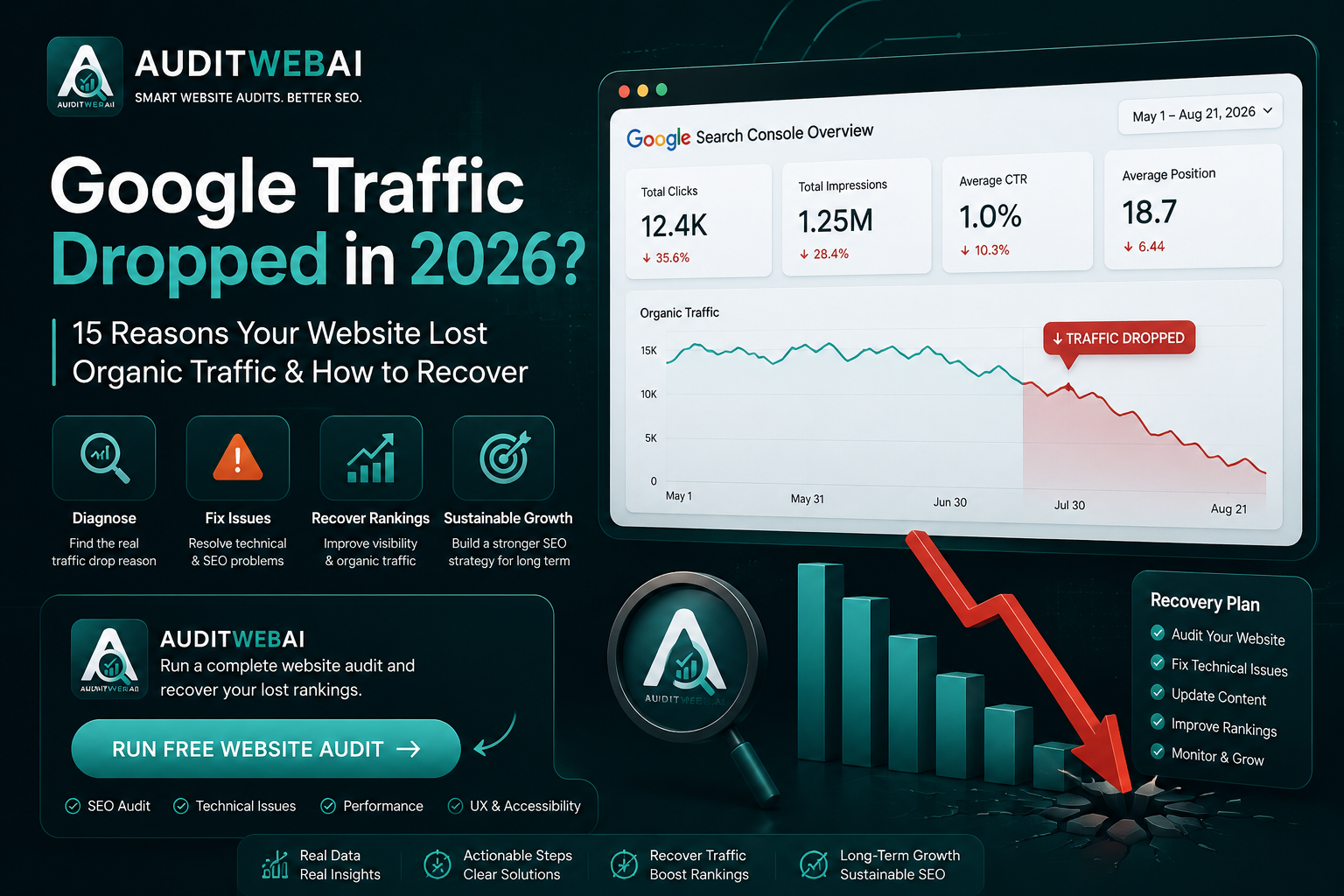
Google Traffic Dropped in 2026? 15 Reasons Your Website Lost Organic Traffic & How to Recover
Did your Google traffic suddenly drop?
You check Google Analytics and notice fewer visitors.
Then you open Google Search Console and discover that your clicks, impressions, or average positions have changed.
The first question is usually:
"Why did my website traffic drop?"
A sudden decline in organic traffic can happen for many different reasons. It could be caused by a Google algorithm update, indexing problems, technical SEO issues, content changes, seasonality, search behavior changes, increased competition, or even a tracking problem.
The important thing is not to panic.
Before changing dozens of pages or deleting content, you need to determine what actually changed.
Google recommends using Search Console and comparing the right time periods when investigating traffic changes associated with core updates. It also recommends looking at affected pages and queries rather than making quick SEO changes based on assumptions.
In this guide, you will learn why Google traffic can drop, how to diagnose an organic traffic decline, what to check in Google Search Console, and how to create a practical SEO recovery plan in 2026.
Why Did My Google Traffic Drop?
There is no single reason why a website loses organic traffic.
Some common causes include:
-
Google algorithm updates
-
Search ranking changes
-
Indexing problems
-
Website redesigns
-
Broken pages
-
Incorrect redirects
-
Content quality problems
-
Search intent changes
-
Increased competition
-
Seasonal demand
-
SERP changes
-
AI-powered search experiences
-
Manual or algorithmic spam issues
-
Analytics or tracking problems
The first step is identifying which category your website belongs to.
A traffic drop is a symptom.
Your job is to find the cause.
15 Reasons Your Website Traffic Dropped
1. Google Released an Algorithm Update
One of the first things to check when your organic traffic changes significantly is whether a Google Search update happened around the same time.
Google's official Search Status Dashboard records several ranking updates in 2026, including:
-
March 2026 Core Update
-
March 2026 Spam Update
-
May 2026 Core Update
-
June 2026 Spam Update
-
August 2026 Spam Update
The August 2026 Spam Update began on August 18 and completed on August 21.
However, you should not automatically assume:
"Google released an update, therefore my website was penalized."
A ranking update changes how Google's systems evaluate search results.
Your traffic may decrease because another page became more competitive, because search intent changed, or because your page no longer performs as well compared with other results.
Google explains that core updates are broad changes designed to improve the overall quality and usefulness of Search; pages that move down are not necessarily "bad" pages.
What to do
Check:
-
When your traffic started declining
-
When the Google update started
-
When the update finished
-
Which pages lost traffic
-
Which queries lost impressions or positions
Do not make major changes before you understand the pattern.
2. Your Rankings Dropped
Your website can lose traffic even if your pages remain indexed.
For example:
Position 3 → Position 8
can result in a significant change in clicks.
A bigger change:
Position 7 → Position 25
can have an even larger effect.
Open Google Search Console and compare:
-
Clicks
-
Impressions
-
Average position
-
CTR
-
Search queries
-
Top pages
Find the pages that experienced the largest changes.
If your website is not ranking well, our guide on why your website is not ranking on Google can help you investigate common SEO problems.
3. Your Impressions Dropped
Traffic can decline because your website is being shown less frequently.
For example:
Before

Impressions: 100,000
Clicks: 4,000

After

Impressions: 65,000
Clicks: 2,500
In this situation, the problem may not be CTR alone.
Your website may have lost search visibility.
Look at:
-
Which keywords lost impressions
-
Which pages lost impressions
-
Which countries changed
-
Which devices changed
-
Which search types changed
This can tell you whether the problem is site-wide or limited to specific topics.
4. Your Click-Through Rate Dropped
Sometimes rankings remain relatively stable while clicks decrease.
This can happen when users see your result but choose another result.
For example:
Position: 4
Impressions: 50,000
CTR: 2.1%
If your page previously had a significantly higher CTR, investigate:
-
Search intent
-
Title tag
-
Meta description
-
SERP features
-
Competitor titles
-
AI-generated search results
-
Rich results
-
Changes in user behavior
Do not rewrite your title simply to insert more keywords.
Make it more useful and accurate for the person searching.
5. Your Important Pages Are No Longer Indexed
One of the most serious causes of organic traffic loss is an indexing problem.
A page can disappear from Google visibility if:
-
It contains a
noindexdirective -
Its canonical points somewhere unexpected
-
It returns a server error
-
It is blocked from crawling
-
The page was deleted
-
A migration changed the URL
-
Internal links were removed
Open Google Search Console and inspect pages that lost traffic.
Check their indexing status.
If your most important pages are no longer indexed, fix the underlying problem before doing more content optimization.
6. Your Website Has a Technical SEO Problem
Technical problems can affect search visibility without being obvious to visitors.
Examples include:
-
Broken internal links
-
Incorrect canonical tags
-
Robots.txt problems
-
XML sitemap problems
-
Redirect loops
-
404 errors
-
5xx server errors
-
Slow pages
-
Mobile usability problems
-
JavaScript rendering issues
A technical SEO audit can help you identify these problems systematically.
For a detailed checklist, see our Technical SEO Audit Checklist 2026.
That guide covers crawlability, indexing, redirects, Core Web Vitals, page speed, mobile SEO, structured data, internal links, and other technical checks.
7. You Changed Your Website
Did you recently:
-
Redesign the website?
-
Change your domain?
-
Move hosting?
-
Change URL structure?
-
Change your CMS?
-
Modify navigation?
-
Change internal links?
-
Update your robots.txt?
-
Change canonical URLs?
-
Remove old pages?
If yes, the change itself may be connected to the traffic decline.
Website migrations are particularly sensitive because one incorrect redirect or indexing directive can affect many URLs at once.
Always monitor Search Console after major website changes.
8. Your Content No Longer Matches Search Intent
Search intent changes.
A page that was perfect for a query two years ago may no longer be the best answer today.
For example, suppose you have an article targeting:
but the current search results increasingly favor:
-
Interactive tools
-
Comparison pages
-
Detailed software guides
-
Product demonstrations
-
Practical examples
A long generic article may no longer satisfy the user's intent as well as it once did.
Review the current search results and ask:
What does someone searching this keyword actually want today?
Then improve the page accordingly.
9. Competitors Improved Their Content
SEO is competitive.
Your rankings depend not only on your website but also on other websites competing for the same searches.
Your traffic can decline because competitors:
-
Published better content
-
Updated old articles
-
Improved page experience
-
Built stronger topical authority
-
Added original research
-
Improved internal linking
-
Earned relevant links
-
Better matched search intent
If your page dropped from position 4 to position 9, study the pages that moved above you.
Do not copy them.
Find what they provide that your page does not.
Then create a better user experience.
10. Search Behavior Changed
Search demand is not constant.
People's interests change.
Seasonal events change.
Products change.
Technology changes.
News changes.
Search behavior can also change because users increasingly use AI-powered search experiences.
Google says AI Overviews now have more than 2.5 billion monthly active users and AI Mode has surpassed one billion monthly users, according to Google's June 2026 announcement.
That means the search journey is becoming more complex.
Your SEO strategy should therefore focus not only on rankings but also on:
-
Search visibility
-
Relevant clicks
-
Brand discovery
-
Conversions
-
User intent
-
AI search visibility where measurable
If you want to understand this shift further, read our AI Search Optimization 2026 guide.
11. Your Website Has Content Quality Problems
Publishing more articles does not automatically create more traffic.
If your website contains:
-
Thin content
-
Repetitive articles
-
AI-generated pages with little original value
-
Keyword-stuffed content
-
Duplicate topics
-
Outdated information
-
Pages created mainly to target search queries
you may need to improve the overall quality and usefulness of your content.
Google's guidance emphasizes people-first content and recommends making meaningful improvements rather than relying on quick SEO fixes.
Ask yourself:
Would a real person find this page genuinely useful?
If the answer is no, adding more keywords will not solve the problem.
12. Your Internal Linking Is Weak
Internal links help users and search engines discover related content.
Imagine your website has:
Homepage
   ↓
SEO Guide
   ↓
Technical SEO
   ↓
Website Audit
   ↓
AI SEO
If these pages are isolated from one another, your website has weaker contextual connections.
Use relevant internal links between related articles.
For example:
Google Traffic Drop
↓
Why Is My Website Not Ranking?
↓
Technical SEO Audit
↓
AI Search Optimization
↓
Website SEO Improvement
This creates a connected SEO content cluster.
13. Your Website Became Slower
A major performance regression can affect user experience and may coincide with changes in organic performance.
Check whether your website recently changed:
-
Images
-
JavaScript
-
CSS
-
Fonts
-
Third-party scripts
-
Hosting
-
Server configuration
-
Plugins
-
Tracking scripts
Monitor Core Web Vitals:
-
LCP
-
INP
-
CLS
Do not optimize performance blindly.
Measure the problem first.
Then fix the largest bottlenecks.
14. Your Analytics or Tracking Is Broken
Not every traffic drop is actually a traffic drop.
Sometimes tracking breaks.
Before making SEO changes, check whether:
-
Google Analytics is receiving data
-
Google Search Console is receiving data
-
Tracking code is present
-
Consent configuration changed
-
Filters changed
-
A deployment removed analytics code
-
The date range is correct
Compare Search Console clicks with Analytics organic sessions.
If Search Console is stable but Analytics suddenly shows a huge decline, investigate tracking before changing your SEO strategy.
15. Your Website Was Affected by Spam Systems
This is especially relevant after Google's 2026 spam updates.
Google's August 2026 Spam Update was a global update affecting all languages and completed on August 21.
If your traffic decline happened around an update, review whether your website uses tactics that could violate Google's spam policies.
Examples of risky approaches include:
-
Scaled low-value content
-
Keyword stuffing
-
Manipulative redirects
-
Cloaking
-
Content created primarily to manipulate rankings
-
Other search manipulation techniques
Do not assume every traffic drop is a spam penalty.
Investigate the evidence first.
How to Diagnose a Google Traffic Drop
Follow this process before changing your website.
Step 1: Check Google Search Console
Look at:
-
Clicks
-
Impressions
-
CTR
-
Average position
-
Queries
-
Pages
Compare the period before and after the decline.
Step 2: Find the Exact Date
Don't simply say:
"Traffic dropped this month."
Find the actual date.
For example:
August 10
   ↓
Normal traffic

August 18
   ↓
Traffic starts declining

August 21
   ↓
Lower traffic
Then compare that date with known Google updates.
Google recommends checking the Search Status Dashboard and waiting at least a full week after a core update finishes before performing the main comparison.
Step 3: Identify Which Pages Lost Traffic
Create a list:
| Page | Before | After | Change |
|---|---|---|---|
| Page A | 5,000 | 4,700 | -6% |
| Page B | 3,000 | 1,500 | -50% |
| Page C | 2,000 | 1,900 | -5% |
| Page D | 1,500 | 500 | -67% |
The pages with the largest declines deserve the most attention.
Step 4: Identify Which Keywords Lost Visibility
Look for:
-
Keywords that disappeared
-
Keywords that moved down
-
Keywords with fewer impressions
-
Keywords with lower CTR
-
New competitors
This helps you understand whether the problem is:
technical
or
content-related
or
competitive
or
search-demand related.
Step 5: Compare Search Intent
Search your important keywords manually.
Look at the current results.
Ask:
Are the top-ranking pages answering the same question my page answers?
If the search intent has changed, update your content.
Step 6: Audit the Website
Once you understand which pages are affected, run a complete website audit.
Check:
-
Technical SEO
-
SEO metadata
-
Internal links
-
Performance
-
Accessibility
-
Mobile experience
-
Content structure
An automated website audit can make this process much faster.
How to Recover Lost Google Traffic
There is no single recovery button.
The correct solution depends on the cause.
Use this framework.
Fix Critical Technical Problems First
Prioritize:
-
Indexing problems
-
Server errors
-
Broken URLs
-
Incorrect redirects
-
Canonical problems
-
Robots.txt problems
-
Sitemap issues
Improve Pages That Lost Rankings
Don't rewrite every page on your website.
Focus on pages that:
-
Previously generated traffic
-
Have strong impressions
-
Lost meaningful positions
-
Still have relevant search demand
-
Can realistically be improved
Improve:
-
Search intent
-
Content usefulness
-
Examples
-
Structure
-
Internal links
-
Accuracy
-
Original information
-
Page experience
Update Outdated Content
If your article discusses:
-
Old SEO practices
-
Old Google features
-
Old statistics
-
Old tools
-
Old recommendations
update it.
But don't change content just to make the page look "fresh."
Make meaningful improvements.
Strengthen Internal Links
Connect your declining pages with relevant high-quality pages.
For example:
Traffic Drop Guide
       ↓
Technical SEO Audit
       ↓
Website SEO Guide
       ↓
AI Search Optimization
       ↓
AI SEO Audit
This creates a stronger content ecosystem.
Should You Delete Pages After a Traffic Drop?
Usually, no.
Do not immediately delete pages simply because their traffic decreased.
First ask:
-
Is the page still useful?
-
Is the topic still relevant?
-
Can the content be improved?
-
Is the search intent still valid?
-
Is there another page targeting the same intent?
-
Is the page technically accessible?
Google's core update guidance specifically recommends avoiding quick fixes and says deleting content should generally be a last resort when content cannot be salvaged.
How Long Does SEO Recovery Take?
There is no guaranteed recovery timeline.
Some technical changes can be reflected relatively quickly after crawling and processing.
However, broader quality or core-update-related changes can take considerably longer.
Google says some improvements can take days, while broader changes can take several months for its systems to learn and confirm improvements across a site.
Therefore:
Don't make a change today and expect a guaranteed ranking recovery tomorrow.
SEO recovery requires measurement and patience.
Google Traffic Drop Recovery Checklist
Use this checklist whenever your organic traffic decreases.
Google Update
-
Check Google Search Status Dashboard
-
Identify update dates
-
Compare traffic before and after
-
Wait for core-update rollout to finish
-
Review affected queries and pages
Search Console
-
Check clicks
-
Check impressions
-
Check CTR
-
Check average position
-
Check indexing
-
Check affected URLs
-
Compare search queries
Technical SEO
-
Check robots.txt
-
Check XML sitemap
-
Check canonical URLs
-
Check redirects
-
Check 404 errors
-
Check 5xx errors
-
Check internal links
-
Check mobile experience
-
Check Core Web Vitals
Content
-
Review search intent
-
Update outdated information
-
Improve usefulness
-
Add original information
-
Improve structure
-
Strengthen internal links
-
Remove unnecessary duplication
Analytics
-
Check Google Analytics
-
Check Search Console
-
Verify tracking code
-
Check date range
-
Compare organic sessions with Search Console clicks
How AuditWebAI Can Help Diagnose SEO Problems
When organic traffic drops, manually checking dozens of technical and on-page factors can take a lot of time.
AuditWebAI can help you identify website issues across areas such as:
-
SEO
-
User Experience
-
Accessibility
-
Performance
-
Technical website health
You can use an audit to identify potential issues that deserve investigation before making major SEO changes.
For example, an audit may help surface problems involving:
-
Missing metadata
-
Heading structure
-
Internal links
-
Image optimization
-
Performance
-
Accessibility
-
SEO issues
If you want to understand how an automated audit works, read our AI SEO Audit Guide 2026.
You can also use our Technical SEO Audit Checklist 2026 for a deeper manual review.
CTA — Check Your Website
Find the SEO, UX, accessibility, and performance issues that may be holding your website back.
What If Your Traffic Did Not Drop Because of SEO?
This is an important question.
Your traffic may decline because:
-
Your product demand changed
-
Your industry is seasonal
-
A competitor launched a major campaign
-
Search behavior changed
-
A news cycle ended
-
Referral traffic decreased
-
Social traffic decreased
-
Analytics changed
SEO should not be analyzed in isolation.
Look at the entire traffic ecosystem.
SEO Traffic Recovery vs SEO Growth
There is an important difference.
Recovery
You are trying to regain traffic that you previously had.
Growth
You are trying to generate traffic that you have never received before.
The strategies overlap, but the diagnosis is different.
For recovery, start with:
What changed?
For growth, start with:
What new opportunity can we capture?
How to Prevent Future Traffic Drops
You cannot prevent every Google ranking change.
But you can make your website more resilient.
1. Build Strong Technical SEO
Keep your technical foundation healthy.
2. Create Useful Content
Don't publish content only because a keyword has search volume.
3. Build Topic Authority
Create connected resources around your core subjects.
4. Monitor Search Console
Track changes before they become major problems.
5. Audit Your Website Regularly
Look for technical and UX issues.
6. Update Important Content
Keep valuable pages accurate and useful.
7. Diversify Discovery
Don't depend entirely on one source of traffic.
Consider:
-
Organic Search
-
Direct traffic
-
Email
-
Social
-
Referral traffic
-
Brand discovery
-
AI search visibility
Final Thoughts
A sudden Google traffic drop can be frustrating, but the worst thing you can do is start changing everything without understanding the cause.
Start with data.
Check Google Search Console.
Identify the exact date of the decline.
Look at affected pages.
Review your search queries.
Check indexing.
Compare your rankings.
Look for technical problems.
Check Google updates.
Review search intent.
Then make targeted improvements.
Google's own guidance recommends focusing on meaningful improvements rather than quick fixes, and it emphasizes evaluating the site and affected content as a whole when significant ranking changes occur.
Remember:
Traffic loss is not always a penalty.
Sometimes competitors improved.
Sometimes search demand changed.
Sometimes Google changed how it evaluates results.
Sometimes a technical issue caused the problem.
And sometimes your analytics is simply not measuring correctly.
The goal is not to panic when traffic falls.
The goal is to diagnose → fix → monitor → improve.
If you want to identify potential SEO, UX, accessibility, and performance problems on your website, start with a website audit and use the findings to build your recovery plan.
Audit your website. Find the problems. Fix what matters. Grow your search visibility.