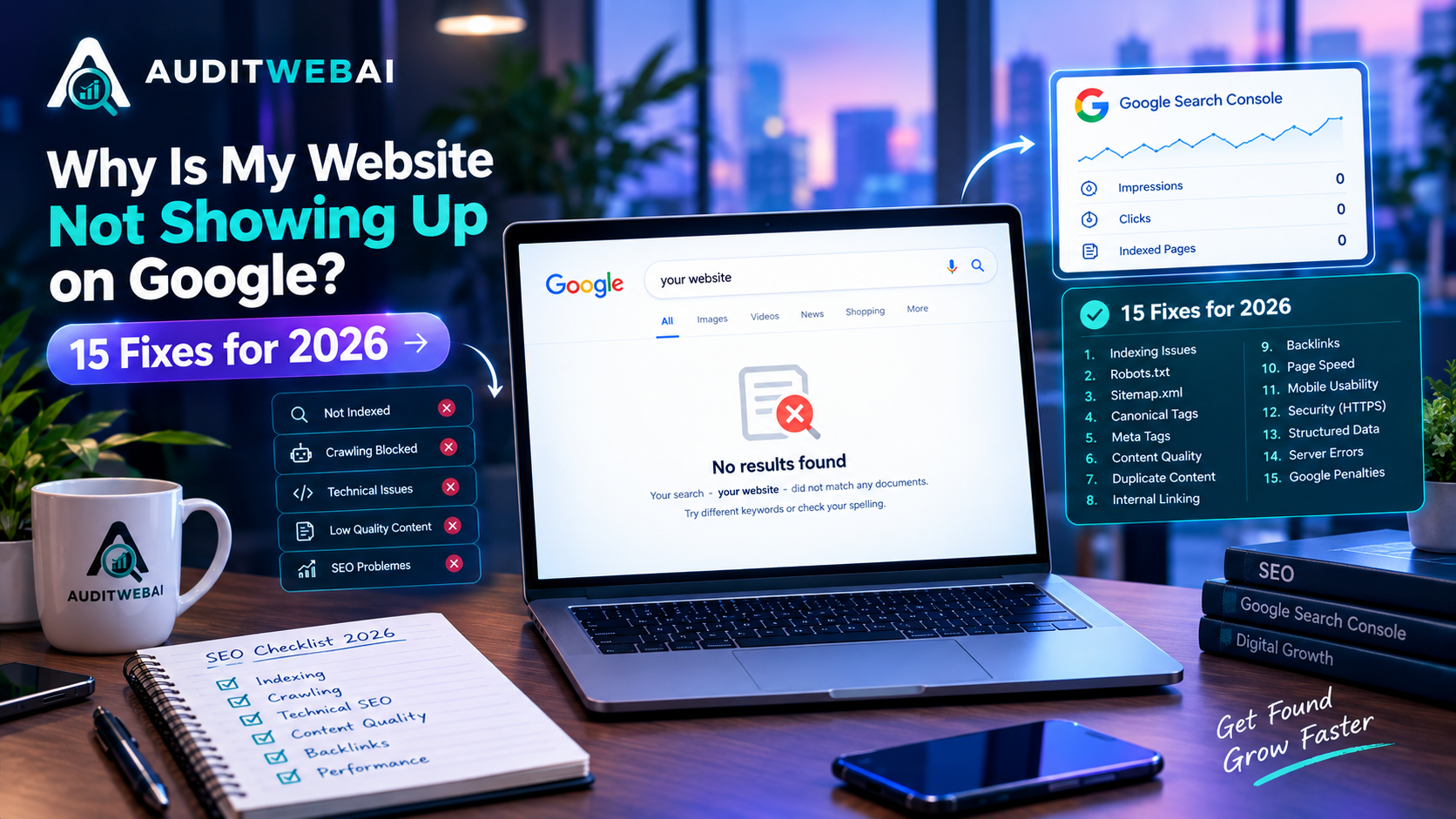
Why Is My Website Not Showing Up on Google in 2026? 15 Reasons & How to Fix Them
If you have recently launched a website but cannot find it on Google, you may be wondering: Why is my website not showing up on Google?
This is one of the most common problems faced by new website owners, bloggers, small businesses, SaaS companies, and online stores.
You may have published your homepage, created several blog posts, optimized your website, and even submitted your sitemap to Google Search Console. However, your website may still not appear when you search for your brand, pages, or target keywords.
The important thing to understand is that publishing a website does not automatically guarantee Google rankings.
Google needs to discover your pages, crawl them, process their content, and decide whether they should be included in its index. Even after a page is indexed, that does not guarantee that it will rank highly for competitive search queries.
The good news is that many website visibility problems can be identified and fixed.
In this guide, we will explain 15 reasons why your website may not be showing up on Google in 2026, how to check each problem, and what you can do to improve your website's visibility in Google Search.
Quick Answer: Why Is My Website Not Showing Up on Google?
Your website may not be showing up on Google because:
-
Google has not discovered your website yet.
-
Your pages are not indexed.
-
Your website contains an accidental
noindexdirective. -
Your robots.txt file is blocking important pages.
-
Your XML sitemap has problems.
-
Your canonical URL is incorrect.
-
Google is having trouble crawling your website.
-
Your content does not match search intent.
-
Your content is too thin or provides little original value.
-
Your internal linking is weak.
-
Your website is still new.
-
Your pages are competing for the same keywords.
-
Your website has technical SEO problems.
-
Your website provides a poor user experience.
-
You are targeting keywords that are too competitive.
Before trying to build hundreds of backlinks or publish dozens of new articles, you should first determine whether the problem is indexing, technical SEO, content quality, search intent, or competition.
1. Google Has Not Discovered Your Website Yet
One of the simplest reasons your website may not be appearing in Google is that Google has not discovered it yet.
This is particularly common with:
-
New websites
-
New domains
-
Newly published blog posts
-
Pages with very few internal links
-
Websites with weak site architecture
-
Pages that are not included in your sitemap
Search engines need to discover your URLs before they can crawl and process them.
For example, imagine you publish a new article:
https://example.com/blog/new-seo-guide
If no other page on your website links to that article and the URL is not properly included in your sitemap, discovery can be more difficult.
How to Fix It
Make sure your important pages are:
-
Included in your XML sitemap
-
Linked from relevant pages
-
Accessible to search engine crawlers
-
Not blocked by robots.txt
-
Not marked as
noindex -
Using the correct canonical URL
You should also verify your website in Google Search Console and monitor your indexing status.
2. Your Website or Page Is Not Indexed
Another common reason your website is not appearing in Google is that your page has not been indexed.
There is an important difference between being published and being indexed.
When you publish a page, it exists on your website.
When Google indexes a page, Google has processed the page and included it in its search index.
However, even an indexed page is not guaranteed to rank for every keyword.
How to Check Your Indexing Status
Open Google Search Console and select your website property.
Then use the URL Inspection tool.
Enter the URL you want to check.
For example:
https://example.com/blog/seo-guide
Google Search Console can provide information about whether the URL is indexed and whether there are issues that may prevent indexing.
Common Indexing Statuses
You may see messages such as:
-
URL is indexed
-
URL is not indexed
-
Crawled - currently not indexed
-
Discovered - currently not indexed
-
Blocked by robots.txt
-
Excluded by
noindex -
Duplicate page
-
Alternate page
-
Server error
Do not assume that every non-indexed page has been penalized.
An indexing exclusion can happen for many technical and content-related reasons.
3. Your Page Has an Accidental Noindex Tag
One of the most important technical SEO checks is the noindex directive.
A page can contain a robots meta tag such as:
<meta name="robots" content="noindex">
This tells search engines that the page should not be indexed.
The noindex directive can be useful for pages that you do not want appearing in search results, such as:
-
Login pages
-
Admin pages
-
Private dashboard pages
-
Certain internal search pages
-
Temporary pages
However, accidentally placing noindex on an important page can prevent that page from appearing in Google.
Pages You Should Check
Review the source code of your:
-
Homepage
-
Service pages
-
Product pages
-
Blog posts
-
Important landing pages
Search the page source for:
noindex
Also check whether your server is sending an X-Robots-Tag HTTP header that prevents indexing.
How to Fix It
If an important public page contains an accidental noindex directive, remove it and make sure the page can be indexed.
After making the change, use Google Search Console to inspect the URL again.
4. Your Robots.txt File Is Blocking Google
Your robots.txt file provides crawling instructions to search engine crawlers.
A mistake in this file can prevent crawlers from accessing important sections of your website.
For example, this rule is extremely restrictive:
User-agent: *
Disallow: /
It tells crawlers not to crawl the entire website.
A properly configured robots.txt file should allow search engine crawlers to access the pages and resources that need to be crawled.
Check Your Robots.txt
Visit:
https://yourdomain.com/robots.txt
Look for rules that may accidentally block important sections such as:
-
/blog/ -
/services/ -
/products/ -
Important public pages
-
Important resources
Do not block your entire website unless you have a specific reason to do so.
Important
Robots.txt controls crawling. It should not be treated as a general replacement for the noindex directive.
If you are troubleshooting a specific URL, use Google Search Console to understand how Google is handling that URL.
5. Your XML Sitemap Has Problems
An XML sitemap helps search engines discover important URLs on your website.
For most websites, your sitemap should contain the URLs you want search engines to discover and potentially index.
A sitemap can become problematic when it contains:
-
Broken URLs
-
Deleted pages
-
Redirected URLs
-
Duplicate URLs
-
Non-canonical URLs
-
HTTP versions when HTTPS is preferred
-
Pages that should not be indexed
-
Incorrect URLs
Example
Your sitemap should generally point to the preferred version of a page.
For example:
https://example.com/blog/seo-guide
Instead of several unnecessary variations such as:
http://example.com/blog/seo-guide
https://www.example.com/blog/seo-guide
https://example.com/blog/seo-guide?source=123
What You Should Do
Check that:
-
Your sitemap is accessible.
-
Your sitemap contains valid URLs.
-
Your important pages are included.
-
URLs return the expected status.
-
Canonical URLs are consistent.
-
The sitemap is submitted in Google Search Console.
A sitemap does not guarantee indexing, but it can help search engines discover your important URLs.
6. Your Canonical URL Is Incorrect
Canonicalization is another important technical SEO concept.
Sometimes the same or very similar content can be accessible through multiple URLs.
For example:
https://example.com/page
https://www.example.com/page
https://example.com/page/
https://example.com/page?source=google
Search engines may need to determine which URL represents the preferred version.
A canonical tag can help communicate your preferred URL.
Example:
<link rel="canonical" href="https://example.com/page">
Common Canonical Problems
Your page may have:
-
No canonical URL when one is useful
-
A canonical pointing to another page
-
A canonical pointing to a redirected URL
-
A canonical pointing to an incorrect URL
-
Conflicting canonical signals
How to Fix Canonical Problems
Make sure your canonical URL:
-
Represents the preferred version of the page.
-
Uses HTTPS when appropriate.
-
Matches your preferred URL structure.
-
Is not pointing to an unrelated page.
-
Is consistent with your internal links and sitemap.
Do not add random canonical tags simply because a page is not ranking.
Canonicalization should accurately describe the relationship between duplicate or similar URLs.
7. Google Is Having Trouble Crawling Your Website
Crawling is the process through which search engine crawlers access pages on your website.
If Google cannot properly access your website, your pages may have difficulty being discovered and processed.
Crawling problems can be caused by:
-
Server errors
-
Slow or unreliable hosting
-
Redirect loops
-
Broken URLs
-
Incorrect robots.txt rules
-
DNS problems
-
Firewall restrictions
-
Authentication requirements
-
Poor website architecture
Check Your Important Pages
Open important URLs in a normal browser.
Then check their HTTP response status.
A normal publicly accessible page will generally return a successful response.
Pay particular attention to:
-
200 responses
-
301 redirects
-
302 redirects
-
404 errors
-
500 server errors
A large number of server errors can create serious crawling problems.
What to Do
Use Google Search Console and your server logs where available to identify crawling issues.
Fix technical problems before spending significant time creating more content.
8. Your Content Does Not Match Search Intent
Your page can be technically perfect and still fail to attract organic traffic if it does not satisfy the searcher's intent.
Search intent means the reason behind a search query.
For example, someone searching:
"why is my website not showing up on Google"
is probably looking for:
-
Reasons their website is missing
-
Indexing problems
-
Google Search Console instructions
-
Technical SEO checks
-
Practical solutions
If your article only discusses generic SEO tips, it may not satisfy that search intent.
Understand the Searcher's Problem
Before creating content, ask:
What does the person actually want to accomplish?
Then create content that solves that problem.
For example:
Search Query
Why is my website not showing up on Google?
Better Content Structure
-
Explain indexing
-
Explain crawling
-
Explain Search Console
-
Explain robots.txt
-
Explain noindex
-
Explain sitemaps
-
Explain canonical URLs
-
Explain internal links
-
Explain content quality
-
Provide a troubleshooting checklist
This is much more useful than repeatedly inserting the target keyword into the article.
9. Your Content Is Too Thin or Generic
Long content does not automatically rank better.
A 5,000-word article can still provide little value if it contains:
-
Repeated information
-
Generic statements
-
No examples
-
No practical steps
-
No original insights
-
Keyword stuffing
-
Unnecessary sections
At the same time, a shorter article can be highly useful if it completely satisfies the user's search intent.
Focus on Quality Instead of Word Count
Good SEO content should aim to:
-
Answer the main question
-
Cover important subtopics
-
Provide actionable instructions
-
Use clear headings
-
Include useful examples
-
Link to relevant resources
-
Avoid unnecessary repetition
For a website such as AuditWebAI, you can make articles more useful by including real website audit examples, troubleshooting steps, checklists and practical explanations.
The goal should be:
Help the reader first. Optimize for search second.
10. Your Internal Linking Is Weak
Internal linking is one of the easiest SEO improvements you can make on your own website.
An internal link connects one page of your website to another page on the same website.
For example, an article about Google indexing can naturally link to related articles about:
-
SEO audits
-
Technical SEO
-
Core Web Vitals
-
Website SEO scores
-
AI search visibility
-
Broken links
-
Website optimization
This helps users discover related information and creates a stronger website structure.
Example Content Structure
Homepage
↓
SEO Audit
↓
Technical SEO Guide
↓
Core Web Vitals Guide
↓
Website SEO Score Guide
↓
AI Search Visibility Guide
↓
Google Indexing Guide
Instead of having dozens of disconnected blog posts, create a connected content ecosystem.
Use Natural Anchor Text
Instead of:
Click here
Use descriptive anchor text such as:
complete SEO audit guide
or:
Core Web Vitals optimization guide
or:
AI search visibility audit
The anchor text should naturally describe the destination page.
11. Your Website Is Still New
If you recently launched your website, it may simply be too early to expect strong rankings.
New websites often need time for search engines to:
-
Discover pages
-
Crawl pages
-
Process content
-
Understand site structure
-
Evaluate content
-
Revisit pages
-
Build confidence in the website
This does not mean you should stop working on SEO.
Instead, focus on building a strong foundation.
Track Progress Instead of Only Rankings
Use Google Search Console to monitor:
-
Impressions
-
Clicks
-
Search queries
-
Average position
-
Indexed pages
-
Pages receiving impressions
-
Pages receiving clicks
For example, your progress might look like:
0 impressions
↓
Initial impressions
↓
More indexed pages
↓
Long-tail search visibility
↓
More clicks
↓
Improving rankings
SEO growth does not always happen overnight.
12. Your Pages Are Competing With Each Other
Another problem can occur when multiple pages target almost the same keyword and search intent.
This is often referred to as keyword cannibalization.
For example, imagine publishing:
-
How to Improve Website SEO
-
Best Ways to Improve Website SEO
-
Website SEO Improvement Guide
-
How to Improve SEO Rankings
-
How to Optimize Website SEO
If all five pages target almost the same intent, you may create unnecessary overlap.
Better Approach
Give each page a different purpose.
For example:
SEO Audit Guide
Focus: How to audit a website
Google Indexing Guide
Focus: Why a website is not appearing in Google
Core Web Vitals Guide
Focus: Website performance
AI Search Visibility Guide
Focus: Visibility in AI-powered search
Broken Links Guide
Focus: Finding and fixing broken links
This creates a clearer content strategy.
13. Your Website Has Technical SEO Problems
Technical SEO is the foundation that helps search engines crawl and understand your website.
Important technical SEO areas include:
-
HTTPS
-
XML sitemap
-
Robots.txt
-
Canonical URLs
-
Indexability
-
Redirects
-
404 errors
-
Internal links
-
Page speed
-
Mobile experience
-
Structured data
-
URL structure
A technically healthy website does not guarantee high rankings.
However, technical problems can create unnecessary barriers to search visibility.
Run a Website SEO Audit
Instead of manually checking every page, you can use a website audit tool to identify common issues.
AuditWebAI can help website owners analyze areas such as:
-
SEO
-
User experience
-
Accessibility
-
Performance
-
Website structure
-
Recommendations
You can start with a free website audit at:
14. Your Website Provides a Poor User Experience
Getting someone to click your search result is only part of the process.
When users visit your website, they should be able to quickly understand what the page is about and find the information they need.
Common user experience problems include:
-
Slow loading
-
Difficult navigation
-
Too many pop-ups
-
Poor mobile layout
-
Small text
-
Confusing page structure
-
Intrusive advertisements
-
Difficult-to-find information
-
Unclear calls to action
Improve Your Website Experience
Make sure your website:
-
Loads efficiently
-
Works well on mobile devices
-
Has clear navigation
-
Uses readable typography
-
Uses descriptive headings
-
Avoids unnecessary interruptions
-
Makes important information easy to find
Your website should be designed for real people, not only search engines.
15. Your Keywords Are Too Competitive
Sometimes your website is technically healthy, your pages are indexed, and your content is useful — but you are still not getting traffic.
The reason may be keyword competition.
For example, ranking for a broad keyword such as:
SEO
is much more difficult than targeting a specific problem such as:
why is my website not showing up on Google
A more specific query can have clearer search intent.
Build a Long-Tail Keyword Strategy
Instead of targeting only broad keywords, consider specific searches related to your audience.
Examples include:
-
why is my website not showing up on Google
-
why is my website not ranking
-
website not indexed by Google
-
how to get my website on Google
-
Google indexing problems
-
website indexing issues
-
how to fix website indexing
-
Google Search Console indexing
-
technical SEO problems
-
website SEO audit
-
improve website SEO
-
website not ranking on Google
Do not force all of these keywords into one article.
Use them naturally where they genuinely fit.
How to Check If Your Website Is Indexed by Google
If you are asking whether Google has indexed your website, you can perform several checks.
Method 1: Use Google Search Console
Google Search Console is the most useful starting point.
Open your property and use the URL Inspection tool.
Enter the exact URL.
Google will provide information about the URL's indexing status.
Method 2: Use a Site Search
You can perform a basic Google search using:
site:yourdomain.com
For example:
site:example.com
This may show pages from your domain that Google has indexed.
However, this is only a basic check and should not replace Google Search Console when diagnosing indexing problems.
How to Fix a Website That Is Not Showing Up on Google
If your website is not appearing in Google, follow this order.
Step 1: Verify Your Website in Search Console
Make sure your website property is properly configured in Google Search Console.
Step 2: Inspect Your Homepage
Use URL Inspection on your homepage.
Check whether it is indexed.
Step 3: Inspect Important Pages
Check:
-
Homepage
-
Service pages
-
Product pages
-
Important blog posts
-
Landing pages
Step 4: Check Robots.txt
Make sure important pages are not accidentally blocked.
Step 5: Check for Noindex
Search your page source for:
noindex
Step 6: Check Your XML Sitemap
Make sure your sitemap contains the correct URLs.
Step 7: Check Canonical URLs
Make sure important pages have the correct canonical configuration.
Step 8: Improve Internal Links
Add relevant links from existing pages to important pages.
Step 9: Improve Search Intent
Make sure your content actually answers the question being searched.
Step 10: Monitor Search Console
Track:
-
Impressions
-
Clicks
-
Queries
-
Positions
-
Indexed pages
This gives you a much clearer picture of organic search growth.
Complete Google Indexing Troubleshooting Checklist
Use this checklist whenever a page is not appearing in Google.
Technical SEO Checklist
-
Website uses HTTPS
-
Important pages return the expected HTTP status
-
Important pages are not blocked by robots.txt
-
Important pages do not contain accidental
noindex -
Canonical URLs are correct
-
XML sitemap is accessible
-
Important URLs are included in the sitemap
-
No unnecessary redirect chains
-
No redirect loops
-
Important pages do not return 404 errors
-
Server errors are investigated
-
Website works on mobile devices
Content Checklist
-
Page has a clear topic
-
Content matches search intent
-
Content provides useful information
-
Content is original and valuable
-
Title accurately describes the page
-
H1 clearly describes the topic
-
Headings organize the content
-
Content is easy to read
-
Images are relevant
-
Images have appropriate alt text
-
Content avoids unnecessary repetition
Internal Linking Checklist
-
Important pages have internal links
-
Relevant blog posts link to each other
-
Important pages can be reached through site navigation
-
Anchor text is descriptive
-
Important pages are not orphaned
-
Related content is connected
Search Console Checklist
-
Website is verified
-
Sitemap is submitted
-
Important URLs have been inspected
-
Indexing status has been reviewed
-
Search queries are monitored
-
Impressions are monitored
-
Clicks are monitored
-
Average position is monitored
-
Indexing errors are reviewed
How Long Does Google Take to Index a Website?
There is no guaranteed indexing time for every website or page.
Google may discover and process some URLs quickly, while other URLs can take longer.
Several factors can influence discovery and crawling, including:
-
Website structure
-
Internal links
-
Sitemap availability
-
Server accessibility
-
Crawlability
-
Website changes
-
Overall site structure
If your website is new, do not assume that publishing a page today means it will immediately rank tomorrow.
Instead, make sure the technical foundation is correct and monitor your website through Search Console.
Does Publishing More Blog Posts Guarantee Google Rankings?
No.
Publishing more articles does not automatically guarantee more Google traffic.
The quality, usefulness, originality and relevance of your content matter.
Publishing hundreds of low-value articles simply to create more URLs is not a reliable SEO strategy.
A better approach is to build a focused content strategy around the problems your target audience actually searches for.
For example, a website audit SaaS could create useful content around:
-
SEO audits
-
Technical SEO
-
Website performance
-
Core Web Vitals
-
Website accessibility
-
Broken links
-
AI search visibility
-
Google indexing
-
SEO troubleshooting
These topics can be connected through internal links to create a stronger topical structure.
How AI Search Is Changing Website Visibility in 2026
Search is continuing to evolve, including the growth of AI-powered search experiences.
Website owners therefore need to think about visibility beyond traditional blue-link rankings.
However, this does not mean that the basic foundations of SEO are no longer important.
Your website still needs:
-
Accessible pages
-
Clear content
-
Strong site structure
-
Useful information
-
Good internal linking
-
Appropriate technical SEO
-
Good user experience
AI-powered search also increases the importance of clearly explaining concepts and answering real questions.
For example, instead of creating a page that simply repeats:
website SEO audit
you can create a useful resource explaining:
-
What a website audit is
-
Why audits matter
-
What an audit checks
-
How to perform an audit
-
Common problems
-
How to prioritize fixes
-
How to monitor improvements
This creates a much more useful resource for both users and search engines.
Should You Use an AI Website Audit Tool?
If you manually check every SEO factor on your website, the process can take a significant amount of time.
A website audit tool can help identify common issues and organize them into a report.
Depending on the tool, an audit can help identify areas such as:
-
Missing page titles
-
Missing meta descriptions
-
Heading issues
-
Image problems
-
Internal linking issues
-
Broken links
-
Performance problems
-
Accessibility issues
-
SEO opportunities
However, remember that an audit score is not the same thing as a Google ranking score.
An audit is a diagnostic tool.
The purpose is to identify problems, prioritize improvements and make your website better.
You can use AuditWebAI to analyze your website and identify potential SEO, UX, accessibility and performance improvements.
Run your free website audit:
https://auditwebai.com/
What Should You Fix First?
When your website is not showing up on Google, don't try to fix everything at once.
Use this priority order.
Priority 1: Indexing
Check:
-
Noindex
-
Robots.txt
-
Sitemap
-
Canonical URLs
-
Server errors
-
Redirects
Priority 2: Important Content
Check:
-
Search intent
-
Content quality
-
Duplicate content
-
Page titles
-
Headings
-
Meta descriptions
Priority 3: Internal Linking
Connect:
-
Homepage
-
Service pages
-
Product pages
-
Blog posts
-
Supporting guides
Priority 4: Website Performance
Review:
-
Core Web Vitals
-
Mobile performance
-
Images
-
JavaScript
-
CSS
-
Server response time
Priority 5: Organic Growth
Then focus on:
-
Long-tail keywords
-
Content clusters
-
Competitor research
-
Relevant backlinks
-
Search Console insights
-
Content updates
This approach is much better than changing dozens of things without knowing what is actually causing the problem.
30-Day Google Visibility Improvement Plan
If your website is struggling to appear or rank in Google, use this simple 30-day plan.
Week 1: Technical SEO
Check:
-
Google Search Console
-
Indexing status
-
Robots.txt
-
XML sitemap
-
Canonical URLs
-
HTTPS
-
Redirects
-
404 errors
-
Server errors
Fix the most important technical problems first.
Week 2: Content Optimization
Review your most important pages.
Improve:
-
Page titles
-
Meta descriptions
-
H1 headings
-
Content structure
-
Search intent
-
Content usefulness
-
Internal links
-
Images
Do not rewrite pages simply to insert more keywords.
Rewrite them to make them more useful.
Week 3: Website Performance
Review:
-
Page loading speed
-
Core Web Vitals
-
Mobile experience
-
Image sizes
-
JavaScript
-
CSS
-
Third-party scripts
-
Server response time
Remove unnecessary resources and optimize the user experience.
Week 4: Content Strategy
Build content clusters around your main business topics.
For example:
Website Audit
↓
Technical SEO
↓
Google Indexing
↓
Core Web Vitals
↓
SEO Score
↓
AI Search Visibility
↓
Website Optimization
Connect these articles naturally with internal links.
Then use Google Search Console to identify which topics and queries are generating impressions.
SEO Mistakes to Avoid in 2026
While trying to improve Google rankings, avoid these common mistakes.
Keyword Stuffing
Do not repeat the same keyword dozens of times simply because you want to rank for it.
Use keywords naturally.
Publishing Low-Value Content
Do not publish articles only to increase your number of indexed pages.
Every article should have a clear purpose.
Creating Duplicate Articles
Avoid publishing multiple articles that answer almost exactly the same question.
Instead, combine similar information or give each page a distinct search intent.
Ignoring Technical SEO
A beautiful website can still have serious indexing problems.
Always check technical fundamentals.
Buying Low-Quality Backlinks
Do not assume that buying large numbers of questionable backlinks will automatically improve your rankings.
Focus on building a useful website and earning relevant references naturally.
Focusing Only on One Keyword
SEO is not simply about ranking for one keyword.
A strong page can potentially appear for many related searches when it genuinely covers the topic.
Frequently Asked Questions
Why is my website not showing up on Google?
Your website may not be showing up because Google has not discovered or indexed it, or because technical SEO, content, internal linking or competition is preventing it from gaining visibility.
How do I know if my website is indexed by Google?
Use Google Search Console's URL Inspection tool to check individual URLs. You can also perform a basic site:yourdomain.com search.
How do I get my website on Google?
Make sure your website is accessible to search engines, remove accidental indexing restrictions, create a valid sitemap, add internal links and publish useful content. Then monitor your pages in Google Search Console.
Why is my new website not ranking?
New websites often need time to be discovered and evaluated. Your target keywords may also be highly competitive. Start by targeting specific search intents and building useful content around them.
How long does it take for Google to index a new website?
There is no guaranteed timeframe. Discovery and indexing can vary depending on the website, page, crawlability, structure and other factors.
Does Google Search Console guarantee indexing?
No. Submitting a URL or sitemap helps Google discover URLs, but it does not guarantee that every URL will be indexed or rank.
Does an SEO audit guarantee higher Google rankings?
No. An SEO audit identifies potential problems and opportunities. Fixing those issues can improve your website's technical quality and user experience, but no audit can guarantee a particular Google ranking.
Can AI-generated content rank on Google?
Content created with AI assistance can be useful, but the important question is whether the resulting content provides genuine value and satisfies users. Content created primarily to manipulate search rankings can violate Google's spam policies.
Is technical SEO still important in 2026?
Yes. Crawlability, indexability, site structure, canonicalization, performance and other technical foundations remain important parts of website SEO.
Should I publish more blog posts to get more traffic?
Not simply for volume. Focus on useful content that addresses specific search intent and connects naturally with other relevant pages on your website.
Why is my homepage indexed but my blog posts are not?
Your blog posts may have weaker internal linking, may not be included correctly in the sitemap, may contain indexing restrictions, or may simply not have been discovered or processed yet. Inspect individual URLs in Google Search Console.
Why is my website indexed but not ranking?
Indexing only means that a page is eligible to appear in Search. Ranking depends on many factors, including relevance, search intent, content quality, competition, website signals and the specific search query.
Final Thoughts: What to Do If Your Website Is Not Showing Up on Google
If your website is not showing up on Google, don't panic and don't immediately assume that your website has been penalized.
Start with the basics.
Check whether Google can discover your website.
Then check whether your important pages are indexed.
After that, review:
-
Robots.txt
-
Noindex directives
-
XML sitemap
-
Canonical URLs
-
Internal links
-
Technical SEO
-
Search intent
-
Content quality
-
Website performance
-
Keyword competition
The most important lesson is simple:
Being online does not automatically mean being visible in Google.
Your website needs to be accessible, crawlable, understandable and useful.
Instead of trying to manipulate rankings with keyword stuffing or low-value content, build a website that genuinely solves problems for your target audience.
Use Google Search Console to understand how your website is performing, use technical SEO checks to find problems, and regularly improve your most important pages.
If you want to identify potential SEO, UX, accessibility and performance problems on your website, you can start with a free audit using AuditWebAI.
Run Your Free Website Audit:
https://auditwebai.com/
A strong SEO strategy is not about publishing as much content as possible.
It is about creating useful content, building a technically healthy website, connecting your pages with relevant internal links, understanding search intent, and continuously improving based on real search data.
If you follow that process consistently, you will have a much stronger foundation for growing your website's visibility and organic traffic in 2026.
Related AuditWebAI Resources
Continue learning with these related guides:
-
How to Perform an SEO Audit for Your Website in 2026
-
AI SEO in 2026: How to Optimize for AI Search
-
How to Improve Website SEO in 2026
-
Core Web Vitals and Website Performance
-
How to Check Your Website SEO Score
-
How to Find and Fix Broken Links
-
AI Website Audit and SEO Checklist
These resources can help you build a complete SEO improvement process instead of focusing on only one ranking factor.