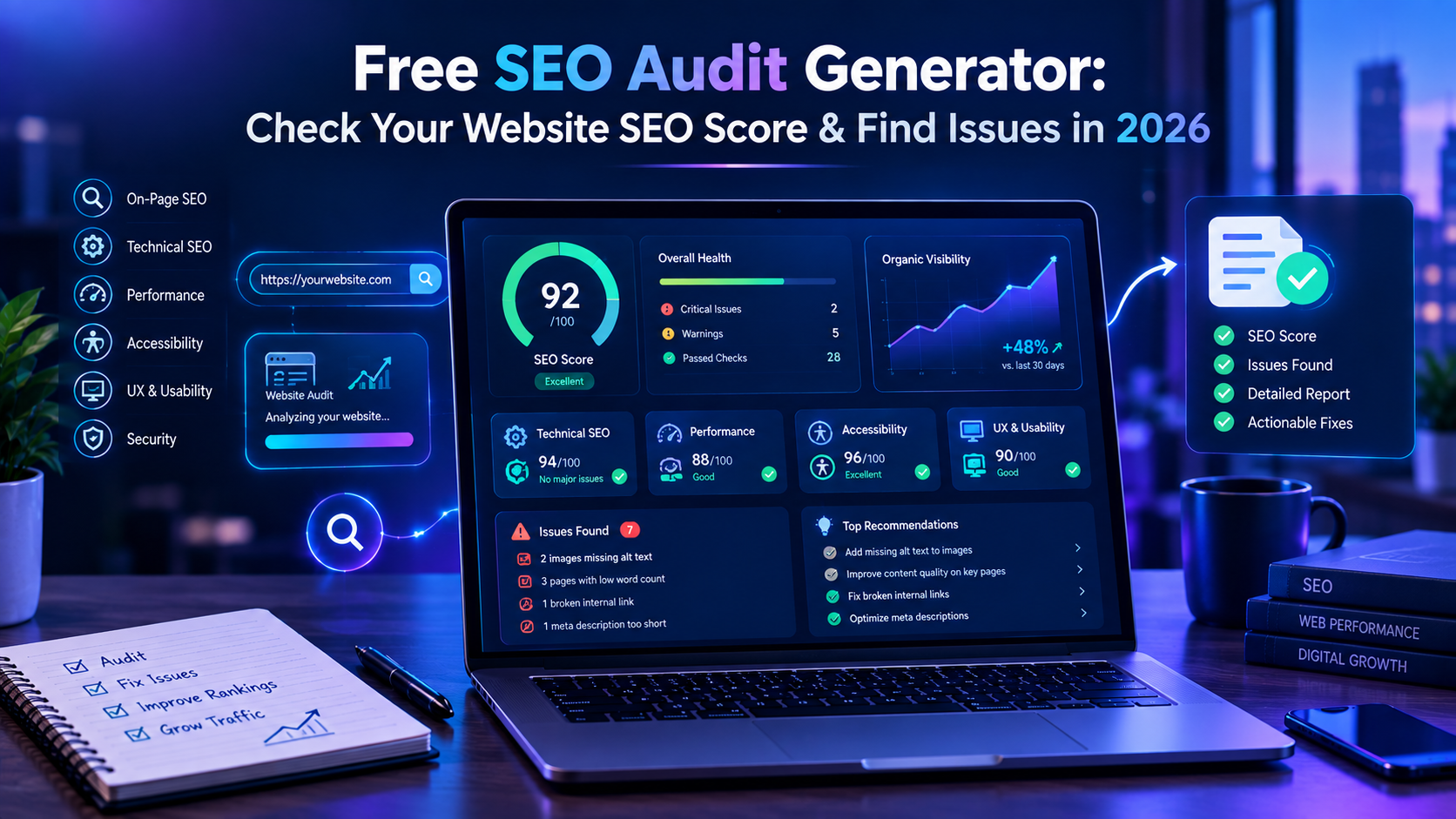
Your website can look perfect to you and still have SEO problems that prevent search engines and visitors from getting the best experience.
A missing meta description, broken internal link, poorly structured heading, slow page, indexing problem or accessibility issue can be easy to overlook when you check your website manually.
That is where a free SEO audit generator can help.
Instead of checking dozens of website elements one by one, you can use a website audit tool to scan important pages and identify potential problems in areas such as technical SEO, on-page SEO, performance, user experience and accessibility.
The important part is not simply getting an SEO score.
The real value of an SEO audit is understanding what is wrong, why it matters and what you should fix first.
In this guide, we will explain what a free SEO audit generator does, what it should check, how to interpret an SEO score, and how you can run a free website audit before spending money on expensive SEO tools.
What Is a Free SEO Audit Generator?
A free SEO audit generator is a tool that analyzes a website and produces a report showing potential SEO and website health issues.
Depending on the tool, an audit may examine areas such as:
-
Page titles
-
Meta descriptions
-
Heading structure
-
Internal links
-
Image alt text
-
Website performance
-
Mobile usability
-
Accessibility
-
Broken links
-
Technical SEO
-
Crawlability
-
Page structure
-
User experience
-
Website security
-
Content-related issues
The purpose is not to guarantee a particular Google ranking.
Instead, an SEO audit gives you a starting point for understanding your website and prioritizing improvements.
For example, imagine you run a small business website.
You may discover that:
-
Your homepage has a weak title
-
Several images have missing alt text
-
Important pages have very few internal links
-
Some pages load slowly
-
Your heading structure is difficult to understand
-
Your content does not clearly match the search intent
-
Some links return errors
Fixing these issues can create a stronger technical and user experience foundation.
Why Should You Run an SEO Audit?
Many website owners start SEO by publishing blog posts or adding keywords.
That can be useful, but it is difficult to build a strong SEO strategy if you do not know whether your website has basic technical problems.
A website audit gives you a clearer picture.
Think about an SEO audit as a website health check.
Before trying to improve traffic, you first want to understand the current condition of the website.
A good audit can help you answer questions such as:
Is my website technically healthy?
Can search engines understand my important pages?
Are my page titles and headings clear?
Are there broken links?
Are my pages too slow?
Does my website provide a good experience on mobile devices?
Which SEO issues should I fix first?
These questions are more useful than simply asking whether your website has a high SEO score.
What Should a Free SEO Audit Check?
Not every website audit tool checks the same things.
A useful free website SEO audit should examine multiple areas instead of focusing only on keywords.
Here are the most important categories.
1. Technical SEO
Technical SEO is the foundation of your website.
If important pages cannot be accessed, crawled or properly understood, optimizing individual keywords will not solve the underlying problem.
A technical SEO audit can look for issues involving:
-
HTTPS
-
Crawlability
-
Indexability
-
Robots.txt
-
XML sitemap
-
Canonical URLs
-
Redirects
-
Broken pages
-
URL structure
-
Duplicate pages
-
Server responses
For example, if an important page accidentally contains a noindex directive, search engines may not include it in their index.
That is why technical checks should come before making large content changes.
If you want a deeper guide, read our complete SEO audit guide.
2. Page Titles
The title of a page helps communicate what the page is about.
Every important page should have a useful and descriptive title.
For example:
Weak:
Home
Better:
Free Website SEO Audit Tool | AuditWebAI
The second example provides much more context.
However, adding keywords repeatedly is not the solution.
A good title should be:
-
Relevant
-
Clear
-
Specific
-
Natural
-
Unique where appropriate
If dozens of pages use the same title, it becomes harder to distinguish them.
3. Meta Descriptions
A meta description provides a short summary of a webpage.
A useful description should accurately explain what the visitor can expect from the page.
For example, instead of:
SEO website tools and audit.
You could write something more descriptive:
Check your website SEO, performance, accessibility and UX issues with a practical website audit.
Do not treat the meta description as a place to insert every possible keyword.
Write it for the person who may see the search result.
4. Heading Structure
Headings organize your content.
A well-structured page should normally have a clear primary heading followed by logical sections.
For example:
H1
Free SEO Audit Generator
H2
What Is a Free SEO Audit?
H2
What Does an SEO Audit Check?
H3
Technical SEO
H3
On-Page SEO
H3
Website Performance
This makes long content easier to scan.
It also helps communicate the structure and topic of the page.
Your headings should describe the content instead of being created only to include keywords.
5. Internal Links
Internal linking is one of the easiest areas to overlook.
An internal link connects one page on your website to another page on the same website.
For example, this article can naturally connect to your guides about:
-
SEO audits
-
SEO scores
-
AI search visibility
-
Google Search Console
-
Website indexing
-
Website performance
This helps readers discover related information and creates stronger connections between related content.
For example, if someone wants to understand their website's SEO score after reading this article, they can continue to:
How to Check Your Website SEO Score in 2026
If they want to understand technical SEO problems in more detail:
How to Perform an SEO Audit for Your Website in 2026
If their website is not appearing in Google:
Why Is My Website Not Showing Up on Google in 2026?
Internal links should be placed where they genuinely help the reader.
Avoid adding dozens of unrelated links just to manipulate SEO.
6. Image Alt Text
Images can improve the user experience, but search engines and assistive technologies need useful text alternatives when appropriate.
For example, instead of:
image123.jpg
an image about a website audit could have descriptive alternative text such as:
Website SEO audit dashboard showing SEO score and technical issues
The alt text should describe the image accurately.
Do not stuff keywords into every image.
7. Website Speed and Performance
Website performance matters because visitors expect pages to respond quickly.
A performance audit can help identify potential issues such as:
-
Large images
-
Unnecessary JavaScript
-
Render-blocking resources
-
Slow server responses
-
Excessive third-party scripts
-
Poor caching
-
Large network requests
If your website is slow, do not immediately assume that you need to rebuild everything.
Start by identifying the largest bottleneck.
For example:
-
Check your largest images.
-
Review unnecessary scripts.
-
Check server response time.
-
Review caching.
-
Test important pages again after making changes.
For a deeper explanation, see our guide:
Core Web Vitals in 2026: The Complete Guide to Fixing LCP, INP & CLS
8. Mobile User Experience
A website can look excellent on a desktop but still provide a poor experience on mobile.
During an SEO audit, check:
-
Navigation
-
Font size
-
Buttons
-
Forms
-
Images
-
Horizontal scrolling
-
Page spacing
-
Content readability
Try using your website on an actual phone.
Can you easily:
-
Read the content?
-
Open the navigation?
-
Click buttons?
-
Fill out forms?
-
Find important information?
If not, the problem is not just an SEO problem.
It is a user experience problem.
9. Accessibility
Accessibility helps make websites usable by a wider range of people.
An audit may identify issues such as:
-
Missing image alternatives
-
Poor heading structure
-
Form labeling problems
-
Difficult keyboard navigation
-
Insufficiently descriptive links
-
Poor focus states
Accessibility should not be treated as a checkbox for SEO.
It is part of building a better website for real users.
You can also read our guide:
Website Accessibility Audit 2026: Complete WCAG 2.2 & ADA Compliance Checklist
10. Broken Links
Broken links create unnecessary friction.
Imagine clicking a link expecting to read an important guide and receiving a 404 page instead.
During an audit, look for:
-
Broken internal links
-
Broken external links
-
Incorrect URLs
-
Redirect chains
-
Outdated links
Fix important internal links first.
If you have a large website, regularly checking for broken links can help keep your website easier to navigate.
Our detailed guide explains the process:
How to Find and Fix Broken Links on Your Website in 2026
11. Check Your Website's SEO Score
Many SEO tools provide an overall score.
For example, a tool might give your website a score such as:
72/100
But do not assume that getting 90/100 automatically means your website will rank higher than every competitor.
An SEO score is a diagnostic metric.
It can help summarize the condition of your website, but search visibility depends on many factors.
Instead of asking:
"How do I get 100/100?"
ask:
"Which problems are most important to fix?"
For example:
High priority
-
Important pages cannot be indexed
-
Major pages return errors
-
Critical content is inaccessible
-
Important pages have serious technical problems
Medium priority
-
Weak metadata
-
Poor internal linking
-
Missing image alt text
-
Heading structure problems
Lower priority
-
Minor optimization opportunities
-
Small content improvements
-
Cosmetic issues
This approach gives you a much more useful SEO strategy.
12. How to Use a Free SEO Audit Generator
You do not need to manually inspect every HTML element before starting.
A website audit tool can give you a starting point.
A simple workflow is:
Step 1: Choose an audit tool
Use a website SEO checker that can evaluate multiple areas of your website.
Step 2: Enter your website URL
Enter the full URL of the public website you want to analyze.
Step 3: Run the audit
Let the tool scan the page and evaluate the available SEO and website health signals.
Step 4: Review the score
Look at the overall score, but do not stop there.
Step 5: Review individual issues
Identify exactly what needs improvement.
Step 6: Prioritize
Fix the problems that can have the biggest practical impact first.
Step 7: Run another audit
After making important changes, audit the website again.
This creates a simple cycle:
Audit → Fix → Recheck → Improve
Try a Free Website SEO Audit with AuditWebAI
If you want to check your website without manually reviewing every element, you can use AuditWebAI's free website audit tool.
Enter your website URL and let AuditWebAI analyze important website health signals.
The audit can check areas including:
-
SEO
-
User experience
-
Accessibility
-
Performance
-
Website structure
-
Actionable recommendations
You can start with the free audit before deciding whether you need additional SEO tools or services.
Run a Free Website Audit with AuditWebAI
The goal is simple:
Find the problems first. Fix the right problems next.
What Makes a Good SEO Audit Report?
A useful report should not simply give you a long list of technical terms.
It should help you understand what to do next.
A practical SEO audit report should ideally provide:
1. The problem
Example:
Missing meta description
2. Why it matters
Explain why the issue deserves attention.
3. Where it occurs
Identify the affected page or element.
4. What to do
Give a practical fix.
5. Priority
Explain whether it should be fixed immediately or later.
This is much more useful than simply saying:
SEO Error Detected.
A website owner needs an action plan, not just a score.
Free SEO Audit vs Manual SEO Audit
Both approaches have a place.
Free SEO Audit Tool
Best for:
-
Quickly identifying common issues
-
Getting a starting score
-
Finding obvious technical problems
-
Checking a website regularly
-
Beginners
-
Small websites
Manual SEO Audit
Best for:
-
Large websites
-
Complex technical problems
-
Competitive SEO research
-
Detailed content analysis
-
Advanced technical investigations
The best workflow can combine both.
Start with an automated audit to identify obvious issues.
Then investigate important problems manually.
This saves time while still allowing deeper analysis.
How Often Should You Audit Your Website?
There is no universal rule that every website must be audited on exactly the same schedule.
Your audit frequency should depend on how often your website changes.
A small brochure website that rarely changes may need less frequent checks.
A website that publishes content every week or frequently changes products, templates or code should be monitored more regularly.
You should consider another audit after:
-
A major website redesign
-
URL structure changes
-
Migration to a new hosting platform
-
Large content updates
-
Major technical changes
-
Adding many new pages
-
Significant traffic changes
-
Unexpected indexing problems
The important thing is to make auditing part of your normal website maintenance process.
What If My SEO Audit Score Is Low?
Do not panic.
A low score does not mean that your website is permanently damaged.
It simply means there are areas worth investigating.
Start with the most important problems.
For example:
First
Check indexing and crawlability.
Second
Fix broken pages and important technical errors.
Third
Improve important page titles and headings.
Fourth
Improve internal linking.
Fifth
Review website performance.
Sixth
Improve content where it does not satisfy search intent.
Seventh
Monitor the results.
Do not try to fix 50 issues simultaneously.
A prioritized approach is easier to manage and measure.
How SEO Audits Fit Into a Larger SEO Strategy
An SEO audit is not the entire SEO strategy.
Think of it as the starting point.
A complete process might look like this:
1. Audit the website
↓
2. Find technical problems
↓
3. Fix important issues
↓
4. Research relevant search topics
↓
5. Improve existing content
↓
6. Publish useful new content
↓
7. Build internal links
↓
8. Monitor Search Console and analytics
↓
9. Audit again
This creates a continuous improvement process.
If you want to understand how Search Console fits into this process, read:
Google Search Console SEO Guide 2026: How to Find and Fix SEO Problems
Free SEO Audit Checklist
Before finishing your website review, use this quick checklist.
Technical SEO
-
Website uses HTTPS
-
Important pages are accessible
-
Important pages are indexable
-
Robots.txt is configured correctly
-
XML sitemap exists
-
Canonical URLs are correct
-
Important URLs return the expected status
-
Broken links are fixed
-
Redirects work correctly
On-Page SEO
-
Important pages have descriptive titles
-
Meta descriptions are useful
-
Pages have clear headings
-
URLs are readable
-
Content matches search intent
-
Images have appropriate alt text
-
Important pages have relevant internal links
Performance
-
Images are optimized
-
Pages load efficiently
-
Unnecessary scripts are limited
-
Server response is reasonable
-
Core Web Vitals are monitored
UX
-
Website works on mobile
-
Navigation is easy to use
-
Text is readable
-
Buttons are easy to use
-
Forms are understandable
-
Important information is easy to find
Content
-
Content is useful
-
Content answers the searcher's question
-
Pages have a clear purpose
-
Articles provide original value
-
Content is easy to scan
-
Keywords are used naturally
-
Content is updated when necessary
Frequently Asked Questions
What is a free SEO audit generator?
A free SEO audit generator is a tool that analyzes a website and identifies potential SEO, technical, performance, accessibility and user experience issues.
Is a free SEO audit enough for a website?
A free audit is a useful starting point. It can help identify common problems, but complex websites may require deeper manual analysis.
What does an SEO audit check?
An SEO audit can check areas such as technical SEO, indexing, titles, meta descriptions, headings, internal links, images, performance, accessibility and user experience.
Does a high SEO score guarantee Google rankings?
No. An SEO score is a diagnostic measurement, not a guarantee of search rankings.
How can I check my website SEO for free?
You can use a free website SEO checker or audit tool such as AuditWebAI to get an initial analysis of your website.
How often should I run an SEO audit?
It depends on how frequently your website changes. Run additional audits after major redesigns, technical changes, migrations, large content updates or unexpected SEO problems.
Can an SEO audit help find technical problems?
Yes. Depending on the audit tool, it can identify issues involving crawlability, indexing, broken links, metadata, headings, performance and other website health signals.
Should I fix every SEO issue immediately?
Not necessarily. Prioritize issues based on their importance, affected pages and likely impact. Fix critical technical problems before spending time on minor optimizations.
Final Thoughts
A free SEO audit generator can be a useful first step when you want to understand what is happening on your website.
The most important thing is not the number displayed at the top of the report.
The important part is the information behind that number.
Use an audit to discover problems.
Understand why those problems matter.
Fix the highest-priority issues.
Then run another check and continue improving.
SEO is not a one-time task. Your website, competitors, content and search environment can all change over time.
If you want a simple place to start, run your website through the free AuditWebAI website audit and use the results as your starting checklist.
Find the issues. Fix what matters. Keep improving.
Related AuditWebAI Guides
If you want to continue improving your website, explore these related guides:
How to Perform an SEO Audit for Your Website in 2026
How to Check Your Website SEO Score in 2026
How to Audit Your Website for AI Search Visibility in 2026
Google Search Console SEO Guide 2026
Why Is My Website Not Showing Up on Google in 2026?
How to Find and Fix Broken Links on Your Website
Website Accessibility Audit 2026
Primary CTA
Run a Free Website Audit
Button URL:
Recommended CTA Placement
-
After the introduction
-
After the “How to Use a Free SEO Audit Generator” section
-
Near the conclusion
Keep the CTA natural. Do not add it after every section.